

Construction projects rarely fail because people don’t care. They fail because information is scattered, approvals are slow, budgets shift, and site teams, subcontractors, and office staff are all working from different versions of the truth. That’s where construction management software development becomes a real business asset, not just another IT project.
At AGR Technology, we help businesses plan and build custom platforms that fit how their operations actually run. If you’re assessing a new construction software solution in October 2026, this page explains what it should solve, which features matter, how development works, and what affects cost.
Get in contact with us to discuss your project
Reviews from our happy clients:

Justine Brummans
Alessio is both incredibly knowledgeable and personable! He gave me great advice that was catered to me and my situation. Thank you Alessio! Super helpful!

Springfield Equestrian Park
Alessio is amazing! I can not speak highly enough of how helpful and knowledgeable he is, my website he created far exceeded my expectations, he is so accomodating and I can only wish him every success with his business. I rate AGR technology 10 out of 10.
Legacy Energy
We used AGR Technology and dealt with Alessio to design and build our website as well as host our emails. Alessio was a pleasure to deal with and had plenty of ideas that we could implement into our site. He has a great attention to detail, he is also very polite in understanding our goals and what we wanted to achieve with our website.
Thanks mate,
Alex & Rob
Excellent Service
Alessio developed our website for our business and has done a wonderful job. He is very personable and knowledgeable. We have enjoyed working with him. We will be referring others to him and highly recommend him to those who need Tech advice.
MRC Performance
I have been in business for over 10 Years and recently moved to AGR Technology for all our IT needs. They are able to fix nearly anything remotely and always very helpful in recommending appropriate hardware upgrades that do the job as required but not costing more than needed.

Alessio provided an excellent service. He was very dedicated in his method of finding solutions to problems. He continued to try different avenues until he found the reason as to why a particular application was not working. He was very knowledgeable in his understanding of the internet and of applications and how they work, and he was able to apply this knowledge in understanding how to resolve the obstacles that continued to appear. He is understanding towards his client's needs and goals and he is willing to work with his client in achieving those goals. He is a very polite and well mannered person and very calm and gentle in his approach. I would highly recommend Alessio's services to anyone.

Palmira Rigoli
Great work ethics Alessio! We at Totally Gluten Free Products are very happy to have you on board as our IT and SEO master. Very reliable, trustworthy and knowledgeable in the field.
YouTube Comment
Nat's Custom Designs
Alessio from AGR Technology has recently helped me create a website for my business.
Throughout the whole process from start to finish Alessio made the process easy for me, by calling me and explaining each step of the way. I'm not very computer savvy, but with Alessio taking the time to explain in detail everything I needed to know from putting inventory in to having it shipped. He even remotely joined my computer to help guide me through everything.
He's very knowledgeable and is experienced in everything I needed and if there was anything else I needed to know that wasn't something he was familiar with, he researched it.
I would HIGHLY recommend Alessio to anyone. He has not only helped me for now but I know that if I ever needed help with anything else he would definitely go above and beyond to help. Thank you so much for everything you have done. It's been a long process but well worth it 🙂
Byron Macumber
AGR Technology is amazing. not only do they stick with you through out the process, they also accommodate to your wants and needs. They are efficient in their work and they have high integrity. Their capabilities are shown through their website design, and appropriate knowledge of utilities regarding software. over the many years of working with them they have been fantastic. I would recommend to everyone
Very helpful
Alessio was thorough, diligent and kept me updated at all time points. I was very impressed with his performance, passion and dedication. I will continue to use his services.
Wantrup & Associates
Alessio of AGR Technology is an IT guy we rely on whenever we need IT help. His professionalism impressed us right at the first time. He solved many of our IT problems in no time. Excellent communication and speedy response.
We highly recommend this company
From a happy customer
Valeria Bianco
I received AGR contact information from a previous client, who had found their service excellent. So I contacted AGR with some expectations, and I can say they exceeded them. Professional, honest, punctual, reliable, their service is faultless. We can't recommend them highly enough.
Very fast, value for money and a comprehensive service
AGR is professional, organised and very skilled at what they do. They take the initiative, looking after all the details that you would not have thought of to enhance your website presence, marketing funnel and automated appointment bookings. Big bonus - pricings are at a fraction of the cost of competitors.
Customer testimonial
Alessio from AGR Technology is wonderful at gently guiding the less technically savvy users to solve problems. Back up service excellent. Highly recommended
SEO for website
The team is very cooperative and delivers clean and very efficient work.

Raimond Volpe
Nothing but good things to say about Alessio. He has been great service and great at communicating with me by both phone and email. Very good knowledge and problem-solving ability with our web development. I would thoroughly recommend Alessio and AGR Technology to anyone wanting online marketing or web development
Website design
Big thank you to Alessio at AGR Technology for a smooth and easy website development process. Nothing was to difficult to accomplish, I can highly recommend his first class service.
Proudly supporting clients of all sizes to succeed through digital solutions







Why work with us?





What Construction Management Software Needs To Solve
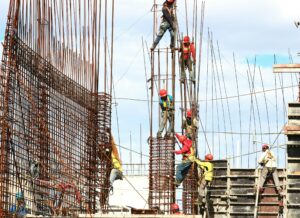
Construction management software needs to do more than store project data. It should reduce friction across the full project lifecycle, from estimating and scheduling through to handover and reporting.
For most construction businesses, the common problems are familiar:
- Project information spread across emails, spreadsheets, PDFs, and chat tools
- Delays caused by manual approvals and unclear responsibilities
- Limited visibility into budgets, variations, and procurement
- Poor communication between field teams and head office
- Compliance and document control issues
- Difficulty tracking subcontractors, defects, and progress in real time
A strong custom platform brings these moving parts into one system. That means project managers can track milestones, site supervisors can upload updates from the field, and leadership can see commercial performance without waiting for end-of-week reports.
And just as important, it should reflect your workflows. Commercial builders, civil contractors, developers, and specialist trades all operate differently. Off-the-shelf tools can help, but custom construction management software development is often the better option when your processes, reporting needs, or integrations are too specific for a generic platform.
Core Features That Matter Most In A Custom Build

The right feature set depends on your business model, but a few capabilities consistently deliver the most value.
Project planning and scheduling
Your platform should support task management, dependencies, milestones, resource allocation, and timeline visibility. In construction, delays cascade quickly, so clear scheduling is essential.
Budgeting and cost control
This includes estimates, purchase orders, progress claims, variation tracking, invoices, and live budget dashboards. Decision-makers need to see cost movement early, not after margin is already gone.
Document management
Drawings, RFIs, contracts, permits, safety records, and site photos should be easy to upload, version, search, and share. Good document control reduces mistakes on site.
Field reporting and mobile access
Site teams need simple mobile tools for daily reports, incidents, timesheets, checklists, and progress updates. If the app is clunky, people won’t use it.
Stakeholder communication
Role-based portals, notifications, approval workflows, and audit trails help keep clients, subcontractors, and internal teams aligned.
We often recommend prioritizing usability over feature bloat. A platform with the right 8 features that people actually use is more valuable than one with 30 underused modules.
How To Plan The Development Process From Discovery To Launch
Successful construction management software development starts with discovery. Skipping this step is one of the fastest ways to waste budget.
We typically break the process into clear stages:
1. Discovery and requirements mapping
We review your current workflows, pain points, existing software, user roles, and operational goals. This helps define what the platform must do now and what can wait for later phases.
2. Solution design and scope definition
Next, we map user journeys, core modules, permissions, data structure, and integration requirements. Wireframes and technical planning reduce ambiguity before development starts.
3. MVP development
A minimum viable product focuses on the highest-value functions first. For many businesses, that might be project tracking, document control, budgeting, and mobile reporting.
4. Testing and user feedback
Construction software must work in real conditions, including on mobile devices, in the field, and across different user types. We test usability, security, performance, and workflow accuracy.
5. Deployment and rollout
Launch should be phased where possible. Training, onboarding, and support matter just as much as the code itself.
A practical rollout plan reduces disruption and improves adoption, which is where the long-term return actually comes from.
Choosing The Right Tech Stack, Integrations, And Architecture
The best tech stack is the one that suits your product goals, scale, and integration needs. There’s no single perfect setup, but there are clear principles.
For web-based construction platforms, modern frontend frameworks such as React are often paired with robust backend environments like Node.js, .NET, or Python. Mobile functionality may be handled through responsive web apps or cross-platform frameworks, depending on field usage requirements.
Architecture also matters. A cloud-based system usually offers better scalability, easier remote access, and simpler maintenance than legacy on-premise software. That’s especially useful when multiple projects and distributed teams are involved.
Integrations are often where the real value compounds. Your software may need to connect with:
- Accounting platforms such as Xero or MYOB
- ERP or inventory systems
- CRM software
- Payroll and workforce management tools
- GIS, BIM, or document storage systems
- Email, SMS, and notification services
At AGR Technology, we look closely at API availability, security requirements, data flows, and future scalability before recommending an architecture. That helps avoid expensive rebuilds later.
What Drives Construction Management Software Development Costs
Software pricing depends on scope, complexity, and business requirements. A simple internal tool is very different from a multi-role platform with mobile apps, integrations, dashboards, and advanced reporting.
The main cost drivers usually include:
- Number of user roles and permission levels
- Feature complexity and workflow logic
- Mobile app requirements
- Third-party integrations
- Data migration from legacy systems
- UI/UX design depth
- Security, compliance, and hosting needs
- Reporting, analytics, and admin controls
- Ongoing support and future enhancements
Custom software development should be treated as an investment in operational efficiency. If your team is losing hours each week to manual coordination, double handling, or reporting gaps, the hidden cost of doing nothing can be significant.
A phased approach often makes the commercial case easier. Instead of building every possible feature upfront, we can help prioritize the modules that create the fastest return. That keeps the project focused and gives your team a usable platform sooner.
Common Mistakes To Avoid During Development And Rollout
A lot of software projects struggle for reasons that are avoidable.
One of the biggest mistakes is building around assumptions instead of real workflows. If leadership defines the system without enough input from project managers, contract administrators, and site teams, adoption usually suffers.
Another issue is trying to launch everything at once. Large releases create risk. A staged rollout is usually more practical and easier to manage.
Other common mistakes include:
- Overcomplicating the interface
- Ignoring mobile usability for field staff
- Underestimating data migration effort
- Choosing tools with poor integration capability
- Weak user training and onboarding
- No clear ownership after launch
- Treating software as a one-off build rather than an evolving business system
We’ve also seen businesses focus heavily on features and not enough on reporting. But decision-makers need visibility. Good dashboards, alerts, and performance insights are often what turn software into a strategic asset.
If you want a platform that teams actually use, keep it practical, role-specific, and closely aligned to everyday operations.
Conclusion
Construction management software development works best when it solves real operational problems, supports field and office teams equally, and is built with scale in mind. If you’re planning a custom construction platform, we can help you define the right scope, technology, and rollout path.
Contact AGR Technology to discuss your software requirements and get expert guidance on a solution that fits your business.
Construction Management Software FAQs
What problems does construction management software development solve?
It centralizes project information, speeds approvals, improves budget visibility, enhances communication between field and office teams, manages compliance, and tracks subcontractors and progress in real time.
Which core features are essential in custom construction management software?
Key features include project planning and scheduling, budgeting and cost control, document management, mobile field reporting, and stakeholder communication with role-based portals and approval workflows.
How does AGR Technology approach construction management software development?
AGR Technology follows a phased process starting with discovery and requirements mapping, then solution design, MVP development, testing with user feedback, and finally deployment with training and support to ensure smooth adoption.
What technology stack is recommended for modern construction management software?
A common stack includes React for frontend, with backend environments like Node.js, .NET, or Python. Cloud-based architecture is preferred for scalability, and integrations with accounting, ERP, CRM, and payroll systems enhance functionality.
How much does custom construction management software development typically cost?
Costs vary based on scope, complexity, user roles, mobile needs, integrations, data migration, UI/UX design, security, reporting features, and ongoing support, making it an investment in operational efficiency.
What are common mistakes to avoid during construction software development?
Avoid assumptions about workflows, launching all features at once, overcomplicating interfaces, neglecting mobile usability, underestimating data migration, poor integration capability, weak training, and treating software as a one-off rather than evolving system.
More content:
IT Services for Commercial Buildings & Realestate Buildings
Construction App Development Services
Custom Software Development Australia & Global
IT services for building facility managers
IT Services for Highrise Buildings
Mining Industry Software Development Solutions
Property API Integration Solutions

Alessio Rigoli is the founder of AGR Technology and got his start working in the IT space originally in Education and then in the private sector helping businesses in various industries. Alessio maintains the blog and is interested in a number of different topics emerging and current such as Digital marketing, Software development, Cryptocurrency/Blockchain, Cyber security, Linux and more.
Alessio Rigoli, AGR Technology