![logo-new-23[1]](https://agrtech.com.au/wp-content/uploads/elementor/thumbs/logo-new-231-qad2sqbr9f0wlvza81xod18hkirbk9apc0elfhpco4.png "logo-new-23[1]")

Manual admin has a way of creeping into every business. A team starts with a few spreadsheets, a shared inbox, and some Outlook rules. Then the work grows. Approvals get missed, files end up in the wrong place, and staff waste hours copying data between Microsoft tools and other platforms.
That’s where smart automation makes a real difference.
At AGR Technology, we help businesses automate Microsoft Suite environments so everyday processes run faster, cleaner, and with less manual effort. Whether you need better document handling in SharePoint, Outlook workflow automation, or deeper connections between Microsoft 365, your CRM, and project management software, we build solutions that fit how your business actually works.
This page explains where automation delivers the most value, what it can look like in practice, and how we help organisations move from patchy manual processes to connected, scalable systems.
Get in contact with us to discuss your project
What our clients are saying

Justine Brummans
Alessio is both incredibly knowledgeable and personable! He gave me great advice that was catered to me and my situation. Thank you Alessio! Super helpful!

Springfield Equestrian Park
Alessio is amazing! I can not speak highly enough of how helpful and knowledgeable he is, my website he created far exceeded my expectations, he is so accomodating and I can only wish him every success with his business. I rate AGR technology 10 out of 10.
Legacy Energy
We used AGR Technology and dealt with Alessio to design and build our website as well as host our emails. Alessio was a pleasure to deal with and had plenty of ideas that we could implement into our site. He has a great attention to detail, he is also very polite in understanding our goals and what we wanted to achieve with our website.
Thanks mate,
Alex & Rob
Excellent Service
Alessio developed our website for our business and has done a wonderful job. He is very personable and knowledgeable. We have enjoyed working with him. We will be referring others to him and highly recommend him to those who need Tech advice.
MRC Performance
I have been in business for over 10 Years and recently moved to AGR Technology for all our IT needs. They are able to fix nearly anything remotely and always very helpful in recommending appropriate hardware upgrades that do the job as required but not costing more than needed.

Alessio provided an excellent service. He was very dedicated in his method of finding solutions to problems. He continued to try different avenues until he found the reason as to why a particular application was not working. He was very knowledgeable in his understanding of the internet and of applications and how they work, and he was able to apply this knowledge in understanding how to resolve the obstacles that continued to appear. He is understanding towards his client's needs and goals and he is willing to work with his client in achieving those goals. He is a very polite and well mannered person and very calm and gentle in his approach. I would highly recommend Alessio's services to anyone.

Palmira Rigoli
Great work ethics Alessio! We at Totally Gluten Free Products are very happy to have you on board as our IT and SEO master. Very reliable, trustworthy and knowledgeable in the field.
YouTube Comment
Nat's Custom Designs
Alessio from AGR Technology has recently helped me create a website for my business.
Throughout the whole process from start to finish Alessio made the process easy for me, by calling me and explaining each step of the way. I'm not very computer savvy, but with Alessio taking the time to explain in detail everything I needed to know from putting inventory in to having it shipped. He even remotely joined my computer to help guide me through everything.
He's very knowledgeable and is experienced in everything I needed and if there was anything else I needed to know that wasn't something he was familiar with, he researched it.
I would HIGHLY recommend Alessio to anyone. He has not only helped me for now but I know that if I ever needed help with anything else he would definitely go above and beyond to help. Thank you so much for everything you have done. It's been a long process but well worth it 🙂
Byron Macumber
AGR Technology is amazing. not only do they stick with you through out the process, they also accommodate to your wants and needs. They are efficient in their work and they have high integrity. Their capabilities are shown through their website design, and appropriate knowledge of utilities regarding software. over the many years of working with them they have been fantastic. I would recommend to everyone
Very helpful
Alessio was thorough, diligent and kept me updated at all time points. I was very impressed with his performance, passion and dedication. I will continue to use his services.
Wantrup & Associates
Alessio of AGR Technology is an IT guy we rely on whenever we need IT help. His professionalism impressed us right at the first time. He solved many of our IT problems in no time. Excellent communication and speedy response.
We highly recommend this company
From a happy customer
Valeria Bianco
I received AGR contact information from a previous client, who had found their service excellent. So I contacted AGR with some expectations, and I can say they exceeded them. Professional, honest, punctual, reliable, their service is faultless. We can't recommend them highly enough.
Very fast, value for money and a comprehensive service
AGR is professional, organised and very skilled at what they do. They take the initiative, looking after all the details that you would not have thought of to enhance your website presence, marketing funnel and automated appointment bookings. Big bonus - pricings are at a fraction of the cost of competitors.
Customer testimonial
Alessio from AGR Technology is wonderful at gently guiding the less technically savvy users to solve problems. Back up service excellent. Highly recommended
SEO for website
The team is very cooperative and delivers clean and very efficient work.

Raimond Volpe
Nothing but good things to say about Alessio. He has been great service and great at communicating with me by both phone and email. Very good knowledge and problem-solving ability with our web development. I would thoroughly recommend Alessio and AGR Technology to anyone wanting online marketing or web development
Website design
Big thank you to Alessio at AGR Technology for a smooth and easy website development process. Nothing was to difficult to accomplish, I can highly recommend his first class service.
Proudly supporting clients of all sizes to succeed through digital solutions





Why work with us?
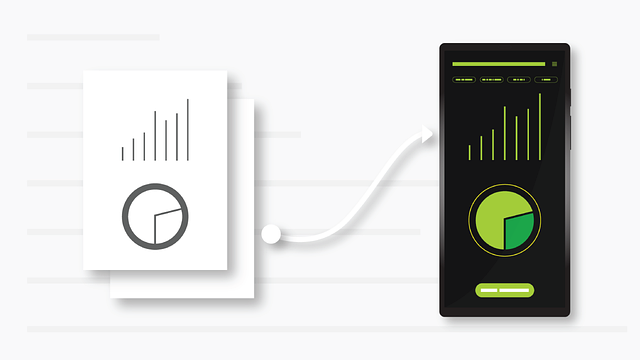




Enhance productivity with automation
When businesses talk about efficiency, they’re often really talking about one thing: reducing the amount of repetitive work their team has to do just to keep operations moving.
Microsoft 365 gives most organisations a strong foundation already. But on its own, it doesn’t always solve process bottlenecks. The real gains happen when we automate the flow of information between Microsoft apps, your internal systems, and the tools your staff use every day.
With the right setup, automation can help your business:
- Reduce manual data entry
- Improve consistency across teams
- Speed up approvals and internal communication
- Create better visibility across projects and customer records
- Lower the risk of human error
- Free up staff for higher-value work
For small businesses, that might mean a cleaner way to handle enquiries, job updates, and document storage. For larger organisations, it can mean standardising workflows across departments, sites, or business units.
We work with businesses that want practical outcomes, not just more software. Our approach to automating Microsoft Suite is focused on making your systems easier to use, easier to manage, and better aligned with day-to-day operations.
Seamless integration with CRM and Project management software.
One of the biggest issues we see is disconnected systems. Sales lives in the CRM. Delivery lives in project tools. Documents sit in SharePoint or OneDrive. Emails stay in Outlook. And staff end up chasing information across five different places.
That setup slows everything down.
By integrating Microsoft 365 with your CRM and project management platforms, we can create workflows that move information automatically between systems. That means less double-handling, fewer missed updates, and a clearer picture of what’s happening across the business.
Common automation examples include:
- Creating tasks in project management software when a deal reaches a certain stage in the CRM
- Syncing customer and job data between Microsoft tools and external platforms
- Triggering approval workflows for quotes, contracts, or onboarding steps
- Sending automated Outlook notifications when project milestones are reached
- Generating folders, permissions, and templates when a new client or project is created
This kind of Microsoft business automation is especially useful for service-based businesses, professional firms, construction teams, healthcare providers, education groups, and growing multi-site companies. But really, if your staff are repeating the same admin steps over and over, there’s usually an opportunity to automate.
Sharepoint storage automation
SharePoint is one of the most useful tools in the Microsoft ecosystem, but it’s also one of the easiest to underuse.
A lot of businesses treat it as little more than file storage. In reality, SharePoint can support structured document management, controlled permissions, version tracking, workflow triggers, and collaboration across teams. When paired with automation, it becomes a far more valuable business system.
We help businesses use SharePoint automation to:
- Automatically create folder structures for new clients, projects, or departments
- Apply naming conventions and metadata rules to improve search and governance
- Route documents for approval before they are published or shared
- Trigger alerts when files are uploaded, updated, or require review
- Manage document retention and access permissions more consistently
- Reduce reliance on ad hoc file storage practices
This is particularly useful for businesses dealing with compliance-heavy processes, repeated project delivery, or large volumes of shared documentation.
And there’s a simple commercial benefit too: teams spend less time looking for files, correcting filing mistakes, or asking who has the latest version. Over a year, that wasted time adds up quickly.
Microsoft Outlook Integration
Outlook is still central to how many businesses operate. Quotes are sent there. Approvals happen there. Customer conversations sit there. But most teams use only a fraction of what Outlook can support when connected to wider automation workflows.
Microsoft Outlook integration can turn email from a passive inbox into an active part of your operations.
We can help automate Outlook-based processes such as:
- Routing incoming enquiries to the right team or person
- Creating CRM records from email submissions
- Triggering follow-up tasks from certain keywords, forms, or attachments
- Syncing meeting and communication activity with customer or project records
- Sending reminders and status updates automatically
- Reducing inbox handling for repetitive internal requests
Done properly, this doesn’t just save time. It creates better accountability. Enquiries don’t sit untouched. Internal requests don’t get buried. Staff have clearer next steps.
For businesses that rely heavily on email-driven workflows, Outlook automation can be one of the fastest ways to improve responsiveness without increasing headcount.
Microsoft Office 365 Business Support in Australia
Automation only works well when it’s backed by solid technical support and a clear understanding of your environment.
At AGR Technology, we provide Microsoft Office 365 business support in Australia for organisations that need more than generic setup help. We work across strategy, implementation, integration, and ongoing optimisation, with a practical focus on business outcomes.
Our support can include:
- Microsoft 365 workflow automation planning
- process mapping and solution design
- SharePoint configuration and document workflow setup
- Outlook and email automation improvements
- CRM and project software integration
- Power Automate implementation and refinement
- Support for custom business logic and advanced use cases
- Ongoing reviews to improve performance as your business evolves
Because we also work across software development, AI automation, SEO, and digital systems more broadly, we’re able to look beyond isolated tasks. That matters. In many businesses, the real issue isn’t just one inefficient process. It’s that several systems have grown separately and no longer connect in a clean way.
We help bring those moving parts together.
If your team is spending too much time on administration, chasing information, or manually updating systems, we can assess your existing setup and identify where Microsoft 365 automation can make the biggest impact.
Scale automation across your organization
A workflow that works for one team often breaks when a business grows. More staff, more approvals, more departments, and more exceptions usually expose weak processes pretty quickly.
That’s why scalable automation matters.
We design Microsoft automation solutions that can grow with your business rather than needing to be rebuilt every time your operations become more complex. For some organisations, that means standardising onboarding, project creation, reporting, and approvals across multiple teams. For others, it means connecting regional offices, remote staff, and leadership into a single, consistent operating model.
Key considerations when scaling automation include:
- Governance: making sure workflows are secure, documented, and aligned with access controls
- Standardisation: reducing process variations that create confusion or risk
- Integration depth: ensuring systems exchange the right data at the right time
- Flexibility: allowing for business rules, exceptions, and future changes
- Visibility: giving managers useful reporting on workflow performance and bottlenecks
A common mistake is automating broken processes without fixing the underlying logic first. We don’t take that approach. We look at how work moves through your business, where delays happen, what data matters, and what needs to be approved, tracked, or stored.
Then we build automation around that reality.
For enterprise businesses, this often means creating a roadmap rather than trying to automate everything at once. For smaller businesses, it may mean starting with a few high-impact workflows that deliver quick operational wins.
Either way, the goal is the same: create systems that support growth instead of slowing it down.
Optimize your business using automation
Good automation isn’t about replacing people. It’s about removing the repetitive, low-value tasks that get in the way of better work.
When Microsoft Suite automation is planned properly, businesses usually see benefits in three areas:
- Time savings – fewer manual steps, less data re-entry, and faster turnaround times
- Operational consistency – workflows happen the same way each time, with less dependence on memory or workarounds
- Better decision-making – cleaner data and connected systems improve visibility across customers, projects, and internal activity
That can influence everything from service delivery and staff productivity to customer experience and profitability.
At AGR Technology, we help businesses optimise operations through practical automation services that connect Microsoft 365 with the broader tools and workflows they rely on. We don’t push one-size-fits-all setups. We design solutions around your business goals, your team, and the systems you already have in place.
If you’re looking to automate Microsoft Suite processes, improve SharePoint and Outlook workflows, or connect Microsoft 365 with your CRM and project management systems, we’re here to help.
Speak with AGR Technology to discuss your current setup, identify automation opportunities, and map out a smarter way to work. You can explore our services at AGR Technology or contact us for a tailored consultation.
More content:
Microsoft Power Bi Development & Integration Services
ERP Software Development Services
GIS Software Development Services

Alessio Rigoli is the founder of AGR Technology and got his start working in the IT space originally in Education and then in the private sector helping businesses in various industries. Alessio maintains the blog and is interested in a number of different topics emerging and current such as Digital marketing, Software development, Cryptocurrency/Blockchain, Cyber security, Linux and more.
Alessio Rigoli, AGR Technology