![logo-new-23[1]](https://agrtech.com.au/wp-content/uploads/elementor/thumbs/logo-new-231-qad2sqbr9f0wlvza81xod18hkirbk9apc0elfhpco4.png "logo-new-23[1]")
Running paid ad campaigns in-house sounds appealing until you’re buried in spreadsheets, chasing budget pacing across three platforms, and trying to explain performance to stakeholders who just want cleaner numbers. Agency fees are rising, and handing full control of your ad accounts to an external team isn’t always the right move, especially when you’re still finding your footing or you want to maintain tighter oversight.
That’s where DIY PPC management software changes the equation. Whether you’re a small business owner managing Google Ads on the side, a marketing team juggling multiple brand campaigns, or a franchise group trying to standardise performance across locations, the right self-service PPC tool can save time, reduce wasted spend, and put real campaign control back in your hands.
At AGR Technology, we can work with businesses at every stage of their digital journey, from those just setting up their first ad account to enterprise teams running sophisticated multi-channel campaigns. In this guide, we’ll walk through what PPC / Ad management software actually is, what features matter most, which tools suit different use cases, and how to know when you’ve outgrown the DIY model. No fluff, just a practical breakdown you can act on.
Book a free consultation call with AGR Technology to see how we can help scale your brand with proven online marketing strategies
Reviews from some of our happy customers:

Justine Brummans
Alessio is both incredibly knowledgeable and personable! He gave me great advice that was catered to me and my situation. Thank you Alessio! Super helpful!

Springfield Equestrian Park
Alessio is amazing! I can not speak highly enough of how helpful and knowledgeable he is, my website he created far exceeded my expectations, he is so accomodating and I can only wish him every success with his business. I rate AGR technology 10 out of 10.
Legacy Energy
We used AGR Technology and dealt with Alessio to design and build our website as well as host our emails. Alessio was a pleasure to deal with and had plenty of ideas that we could implement into our site. He has a great attention to detail, he is also very polite in understanding our goals and what we wanted to achieve with our website.
Thanks mate,
Alex & Rob
Excellent Service
Alessio developed our website for our business and has done a wonderful job. He is very personable and knowledgeable. We have enjoyed working with him. We will be referring others to him and highly recommend him to those who need Tech advice.
MRC Performance
I have been in business for over 10 Years and recently moved to AGR Technology for all our IT needs. They are able to fix nearly anything remotely and always very helpful in recommending appropriate hardware upgrades that do the job as required but not costing more than needed.

Alessio provided an excellent service. He was very dedicated in his method of finding solutions to problems. He continued to try different avenues until he found the reason as to why a particular application was not working. He was very knowledgeable in his understanding of the internet and of applications and how they work, and he was able to apply this knowledge in understanding how to resolve the obstacles that continued to appear. He is understanding towards his client's needs and goals and he is willing to work with his client in achieving those goals. He is a very polite and well mannered person and very calm and gentle in his approach. I would highly recommend Alessio's services to anyone.

Palmira Rigoli
Great work ethics Alessio! We at Totally Gluten Free Products are very happy to have you on board as our IT and SEO master. Very reliable, trustworthy and knowledgeable in the field.
YouTube Comment
Nat's Custom Designs
Alessio from AGR Technology has recently helped me create a website for my business.
Throughout the whole process from start to finish Alessio made the process easy for me, by calling me and explaining each step of the way. I'm not very computer savvy, but with Alessio taking the time to explain in detail everything I needed to know from putting inventory in to having it shipped. He even remotely joined my computer to help guide me through everything.
He's very knowledgeable and is experienced in everything I needed and if there was anything else I needed to know that wasn't something he was familiar with, he researched it.
I would HIGHLY recommend Alessio to anyone. He has not only helped me for now but I know that if I ever needed help with anything else he would definitely go above and beyond to help. Thank you so much for everything you have done. It's been a long process but well worth it 🙂
Byron Macumber
AGR Technology is amazing. not only do they stick with you through out the process, they also accommodate to your wants and needs. They are efficient in their work and they have high integrity. Their capabilities are shown through their website design, and appropriate knowledge of utilities regarding software. over the many years of working with them they have been fantastic. I would recommend to everyone
Very helpful
Alessio was thorough, diligent and kept me updated at all time points. I was very impressed with his performance, passion and dedication. I will continue to use his services.
Wantrup & Associates
Alessio of AGR Technology is an IT guy we rely on whenever we need IT help. His professionalism impressed us right at the first time. He solved many of our IT problems in no time. Excellent communication and speedy response.
We highly recommend this company
From a happy customer
Valeria Bianco
I received AGR contact information from a previous client, who had found their service excellent. So I contacted AGR with some expectations, and I can say they exceeded them. Professional, honest, punctual, reliable, their service is faultless. We can't recommend them highly enough.
Very fast, value for money and a comprehensive service
AGR is professional, organised and very skilled at what they do. They take the initiative, looking after all the details that you would not have thought of to enhance your website presence, marketing funnel and automated appointment bookings. Big bonus - pricings are at a fraction of the cost of competitors.
Customer testimonial
Alessio from AGR Technology is wonderful at gently guiding the less technically savvy users to solve problems. Back up service excellent. Highly recommended
SEO for website
The team is very cooperative and delivers clean and very efficient work.

Raimond Volpe
Nothing but good things to say about Alessio. He has been great service and great at communicating with me by both phone and email. Very good knowledge and problem-solving ability with our web development. I would thoroughly recommend Alessio and AGR Technology to anyone wanting online marketing or web development
Website design
Big thank you to Alessio at AGR Technology for a smooth and easy website development process. Nothing was to difficult to accomplish, I can highly recommend his first class service.
Supporting businesses of all sizes to get ahead with digital solutions





Why work with us?





What Is DIY PPC Management Software?

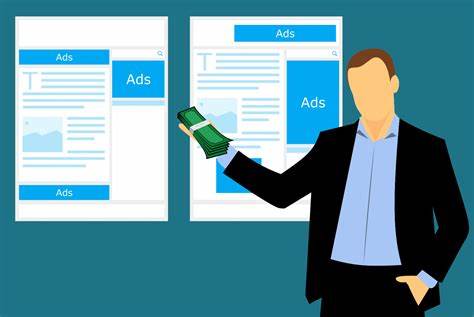
DIY PPC management software refers to platforms and tools that allow businesses, marketing teams, or individuals to plan, execute, monitor, and optimise pay-per-click advertising campaigns without relying on an external agency. Instead of outsourcing campaign management, you take the controls yourself, setting bids, managing budgets, analysing performance data, and making optimisation decisions through a centralised interface.
Most solutions in this category integrate with major ad networks including Google Ads, Microsoft Advertising (Bing Ads), Meta (Facebook and Instagram), and sometimes LinkedIn or Pinterest. The core value proposition is straightforward: give non-agency users the kind of campaign visibility and automation that previously required either expensive software licensing or a dedicated PPC specialist.
The market has matured significantly. Tools that once required a steep technical learning curve now feature guided setup flows, automated bidding suggestions, and drag-and-drop reporting dashboards. That shift has made self-service PPC tools genuinely accessible to small business owners, internal marketing teams, and brand managers who don’t have a decade of ad platform experience.
How It Differs from Fully Managed PPC Services
With a fully managed PPC service, an external agency or consultant handles everything, strategy, campaign builds, ongoing optimisation, reporting, and communication with ad platforms. You’re buying expertise and time, which comes at a price.
DIY PPC software flips that model. You own the strategy and the execution. The software provides the infrastructure, dashboards, automation rules, bid management tools, and reporting templates, but you’re the one making the calls. That means lower ongoing costs, faster iteration when you know what you’re doing, and complete transparency into your own account data.
The tradeoff is obvious: it requires time, attention, and a willingness to learn. But for teams that already have marketing capacity or business owners who are comfortable with data, the DIY approach often delivers better ROI than paying agency markups on top of ad spend.
Who Should Consider Managing PPC In-House?
Not every business is a good fit for DIY PPC management, but more are than you’d expect. Consider managing campaigns internally if:
- You have an internal marketing team with at least one person comfortable with digital advertising platforms.
- You’re a small business with tight margins where agency fees would eat a disproportionate share of your budget.
- You run a franchise or multi-location brand and want consistent campaign structures across locations without relying on an agency to replicate settings.
- You’re an eCommerce brand that needs rapid testing of product ads, promotions, and seasonal campaigns without waiting on external approval cycles.
- You want to understand your own data before eventually working with an agency or specialist on more advanced strategy.
Starting internally also gives you a clearer baseline. When you do eventually engage external support, whether that’s a platform like AGR Technology or a specialist, you’ll come to that conversation with real data, real questions, and a much sharper brief.
Key Features to Look for in PPC Management Software
Not all PPC management software is built the same. Some tools are designed for individual freelancers managing a handful of accounts. Others are built for agencies juggling hundreds of clients. And some occupy a middle ground that works well for growing teams and brands. Before committing to any platform, it’s worth understanding which features actually move the needle.
Automated Bid Management and Budget Controls
Manual bid management is time-consuming and increasingly ineffective at scale. The ad platforms themselves use machine learning to adjust bids in real time based on auction signals, user behavior, device type, and dozens of other variables. Good DIY PPC software either integrates with platform-native Smart Bidding strategies or offers its own rule-based or algorithmic bid management layer on top.
Look for:
- Automated bid rules that adjust bids based on performance thresholds (e.g., “lower bids on keywords with CPA > $X”).
- Budget pacing controls that prevent overspend on high-traffic days while preserving budget for consistent delivery across the month.
- Dayparting automation to schedule ads or adjust bids by hour of day or day of week.
- Portfolio bidding views that let you manage bids across multiple campaigns toward a shared target.
For small businesses especially, budget controls are critical. Overspending $300 in a day because of a misconfigured broad match keyword isn’t just frustrating, it can derail a monthly budget entirely.
Cross-Channel Campaign Tracking and Reporting
One of the most persistent frustrations with managing PPC campaigns across multiple platforms is fragmented reporting. Google Ads shows one set of numbers. Meta Business Manager shows another. Microsoft Advertising has its own interface. Reconciling all of that into a coherent picture of performance, especially for stakeholders who don’t live in the platforms, is genuinely painful without the right tools.
Quality PPC management software consolidates data from all connected ad accounts into a single dashboard. At minimum, look for:
- Cross-platform performance views showing spend, clicks, conversions, and ROAS in one place.
- Customisable KPI dashboards so different stakeholders see the metrics relevant to them.
- Automated campaign reporting scheduled to deliver weekly or monthly summaries without manual exports.
- Conversion tracking integration with Google Analytics 4, or native pixel/tag support for accurate attribution.
Real-time reporting is increasingly table stakes. If your software is showing you yesterday’s data while your campaigns are burning budget today, that lag can be costly.
Audience Targeting, Segmentation, and A/B Testing
Beyond bidding and reporting, the strategic power of good PPC software often comes down to how well it supports audience work and testing. Audience segmentation, the ability to target specific user groups based on demographics, interests, past behavior, or CRM data, is where modern PPC delivers its best results.
Features worth prioritising:
- Audience list management with support for custom audiences, lookalike audiences, and remarketing segments.
- Ad copy A/B testing or multivariate testing capabilities to identify which creative drives the best performance.
- Landing page testing integration, or at least the ability to route traffic to different URLs for split testing.
- Negative keyword management tools that make it easy to add, audit, and share negative keyword lists across campaigns or accounts.
For teams managing PPC across multiple brands or franchise locations, centrally managed audience libraries and shared negative keyword lists can save hours of repetitive work each week.
How to Build an Effective DIY PPC Workflow
Software is only as useful as the process it supports. A well-structured DIY PPC workflow is what separates teams that see consistent results from those that are always reacting to problems instead of preventing them.
A solid workflow covers four areas: account setup and structure, ongoing QA, routine optimisation tasks, and performance reporting. Here’s how teams use DIY PPC management software effectively across each stage.
Initial setup:
- Connect all ad accounts to your chosen management platform.
- Define campaign structures aligned to business goals, separate campaigns for branded and non-branded traffic, product categories, or geographic markets.
- Configure conversion tracking before spending a dollar, without it, you’re flying blind.
- Set up automated alerts for anomalies: sudden spend spikes, CTR drops, conversion tracking failures.
Ongoing management rhythm:
- Daily: Check spend pacing and conversion volume for anomalies.
- Weekly: Review search term reports, add negative keywords, review ad performance, check Quality Scores.
- Monthly: Audit campaign structure, review audience performance, update bids based on month-over-month trends, produce stakeholder reports.
Setting Up Campaign QA and Ongoing Maintenance
Quality assurance in PPC is often skipped, especially by in-house teams who are confident in their own setup. But even experienced practitioners make errors, wrong destination URLs, missing tracking parameters, paused ads that should be live, or live ads that should be paused.
A simple QA checklist run weekly (or automated via your PPC software) should include:
- Destination URL checks, confirm ads link to live, relevant landing pages.
- Tracking parameter audits, verify UTM parameters are intact and populating correctly in analytics.
- Ad copy review, check for disapproved ads or policy violations that might be silently limiting reach.
- Budget utilisation review, identify campaigns that are consistently under-delivering or hitting budget limits too early in the day.
- Keyword status check, catch low Quality Score keywords dragging down campaign performance.
Many of these checks can be automated within platforms like Optmyzr or Adalysis, which surface account issues in a centralised alert feed rather than requiring manual audits.
Automating Routine Tasks to Reduce Wasted Spend
PPC automation isn’t about removing human judgment, it’s about removing human repetition. The tasks most worth automating are those that are rule-based, time-sensitive, or occur frequently enough that doing them manually creates bottlenecks.
High-value automation opportunities:
- Pause keywords or ads below a performance threshold, e.g., automatically pause any keyword that has spent $50 with zero conversions.
- Increase bids on converting keywords during peak hours, use dayparting or bid adjustment rules tied to historical conversion data.
- Auto-apply negative keywords from search term reports based on pre-defined exclusion criteria.
- Send automated weekly performance summaries to team members or stakeholders without manual report building.
- Rotate ad copy and surface winning variants, either through platform-native responsive ad settings or third-party A/B testing tools.
A small eCommerce team we’ve worked with at AGR Technology reduced their weekly PPC management time by roughly half after implementing automated bid rules and a scheduled negative keyword review process. They didn’t need a more expensive tool, they needed a more deliberate workflow layered on top of the tools they already had.
When DIY PPC Management Reaches Its Limits
The DIY approach is genuinely effective for a wide range of businesses and budget levels. But there are real ceilings, points where the complexity of what you’re managing, or the scale of spend at risk, outpaces what self-service tools and in-house bandwidth can reliably handle.
Recognising those limits early saves money. Recognising them late often means months of underperformance that’s hard to fully attribute to the gap in expertise.
Signs You Need a Custom Software Solution or Expert Support
Here are the clearest indicators that you’ve reached the natural limits of a standard DIY PPC setup:
1. You’re spending significant budget without a reliable attribution model.
Once monthly ad spend climbs above a threshold where even small improvements in ROAS translate to meaningful revenue, typically around $10,000–$20,000/month depending on margin, the cost of suboptimal decisions outweighs the cost of professional support or custom tooling.
2. You’re managing campaigns across five or more distinct markets, brands, or franchise locations.
At that point, the overhead of maintaining consistency across accounts, localising creative, and managing audiences manually starts to compress the time available for actual strategic thinking.
3. Your reporting needs have outgrown standard dashboard templates.
If stakeholders are asking questions your current tools can’t answer, attribution across paid and organic, LTV-based ROAS modelling, cross-device conversion paths, you need either a custom reporting layer or an analytics specialist.
4. You’ve hit the ceiling of what your current tool’s automation can do.
Standard rule-based automation is powerful for routine tasks, but it doesn’t adapt to complex, dynamic environments the way custom bidding algorithms or ML-driven tools do. If your growth is being constrained by automation limitations, it’s worth evaluating whether a more sophisticated platform or a custom solution is the answer.
5. Campaign performance has plateaued even though consistent optimisation effort.
Sometimes the issue isn’t the tool, it’s the strategy. A fresh external perspective from an experienced PPC specialist can identify structural issues, untapped audience opportunities, or bidding inefficiencies that are genuinely hard to see from the inside.
At AGR Technology, we work with businesses that have reached exactly this point. Whether that means helping you carry out a more capable software stack, building custom integrations between your ad data and your CRM, or transitioning into a managed campaign setup, the path forward is usually clearer than it feels when you’re in the middle of a performance plateau. Starting internally is a smart move. Knowing when to bring in support is an equally smart one.
Conclusion
DIY PPC management software has genuinely democratised paid advertising. You don’t need a six-figure agency contract or a dedicated in-house PPC team to run well-structured, optimised campaigns across Google, Meta, and Microsoft. You need the right tool for your context, a clear workflow, and the discipline to follow it consistently.
For small businesses, starting with native platform tools and free utilities like Google Ads Editor is a low-risk, high-value entry point. For growing teams, a platform like Optmyzr or Adalysis adds the automation and multi-user workflows that prevent things from slipping through the cracks at scale. For brands and franchises managing significant spend or complex account structures, the investment in enterprise-grade PPC management software, or custom-built tooling, pays for itself quickly when the alternative is systemic underperformance.
The key principle: start with what matches your current scale and complexity. Don’t over-engineer a setup for a $2,000/month budget, and don’t under-resource a $50,000/month account because a cheaper tool technically connects to all the right platforms.
And when you hit the ceiling of what you can manage internally, whether that’s a technology gap, a capacity issue, or a strategic bottleneck, that’s not a failure. It’s just the natural next step.
Ready to build a smarter PPC setup? The team at AGR Technology can help you evaluate your current tools, carry out a workflow that actually gets used, or take over campaign management when you’re ready to scale. Get in touch with us to start the conversation.
Frequently Asked Questions About DIY PPC Management Software
What is DIY PPC management software and how does it work?
DIY PPC management software lets businesses plan, run, and optimize pay-per-click campaigns without hiring an agency. These platforms integrate with Google Ads, Meta, and Microsoft Advertising, offering automated bidding, budget controls, and centralized dashboards so in-house teams can manage campaigns independently with full data transparency.
What are the key features to look for in PPC management software?
The most important features include automated bid management, budget pacing controls, cross-channel reporting dashboards, audience segmentation tools, A/B testing capabilities, and negative keyword management. Conversion tracking integration with platforms like Google Analytics 4 is also essential for accurate performance attribution.
Is DIY PPC management software suitable for small businesses?
Yes. Small businesses can start with free tools like Google Ads Editor and the native Google Ads interface, or affordable platforms like Optmyzr and WordStream Advisor. These tools offer automation and guided optimization without requiring deep PPC expertise, making them accessible for budget-conscious teams.
How much does DIY PPC management software typically cost?
Costs vary widely. Free tools like Google Ads Editor and Google Sheets-based automation have no subscription fees. Mid-tier platforms like Optmyzr start at affordable monthly rates, while enterprise solutions like SA360 or Skai are priced for large budgets. Compared to agency retainers ranging from hundreds to thousands per month, DIY tools offer significant savings.
When should a business stop using DIY PPC tools and hire a professional?
Consider professional support when monthly ad spend grows, you’re managing five or more markets or franchise locations, reporting needs outgrow standard dashboards, or campaign performance has plateaued despite consistent optimization. At that point, the cost of underperformance typically outweighs the cost of expert help.
Can I automate PPC campaign management without expensive software?
Yes. Google Sheets combined with Google Apps Script is a powerful free automation option used by experienced practitioners. It can automate reporting, track budget pacing, manage quality scores, and generate keyword variations. Paired with Google Looker Studio for visualization, this free stack can replace paid tools for smaller account portfolios.
Other resources:
Law Firm SEO & Marketing Services
Dental SEO & Marketing Services
Digital Marketing For Tradesmen
Local Marketing Services for National Brands
Franchise Digital Marketing Agency

Alessio Rigoli is the founder of AGR Technology and got his start working in the IT space originally in Education and then in the private sector helping businesses in various industries. Alessio maintains the blog and is interested in a number of different topics emerging and current such as Digital marketing, Software development, Cryptocurrency/Blockchain, Cyber security, Linux and more.
Alessio Rigoli, AGR Technology