![logo-new-23[1]](https://agrtech.com.au/wp-content/uploads/elementor/thumbs/logo-new-231-qad2sqbr9f0wlvza81xod18hkirbk9apc0elfhpco4.png "logo-new-23[1]")
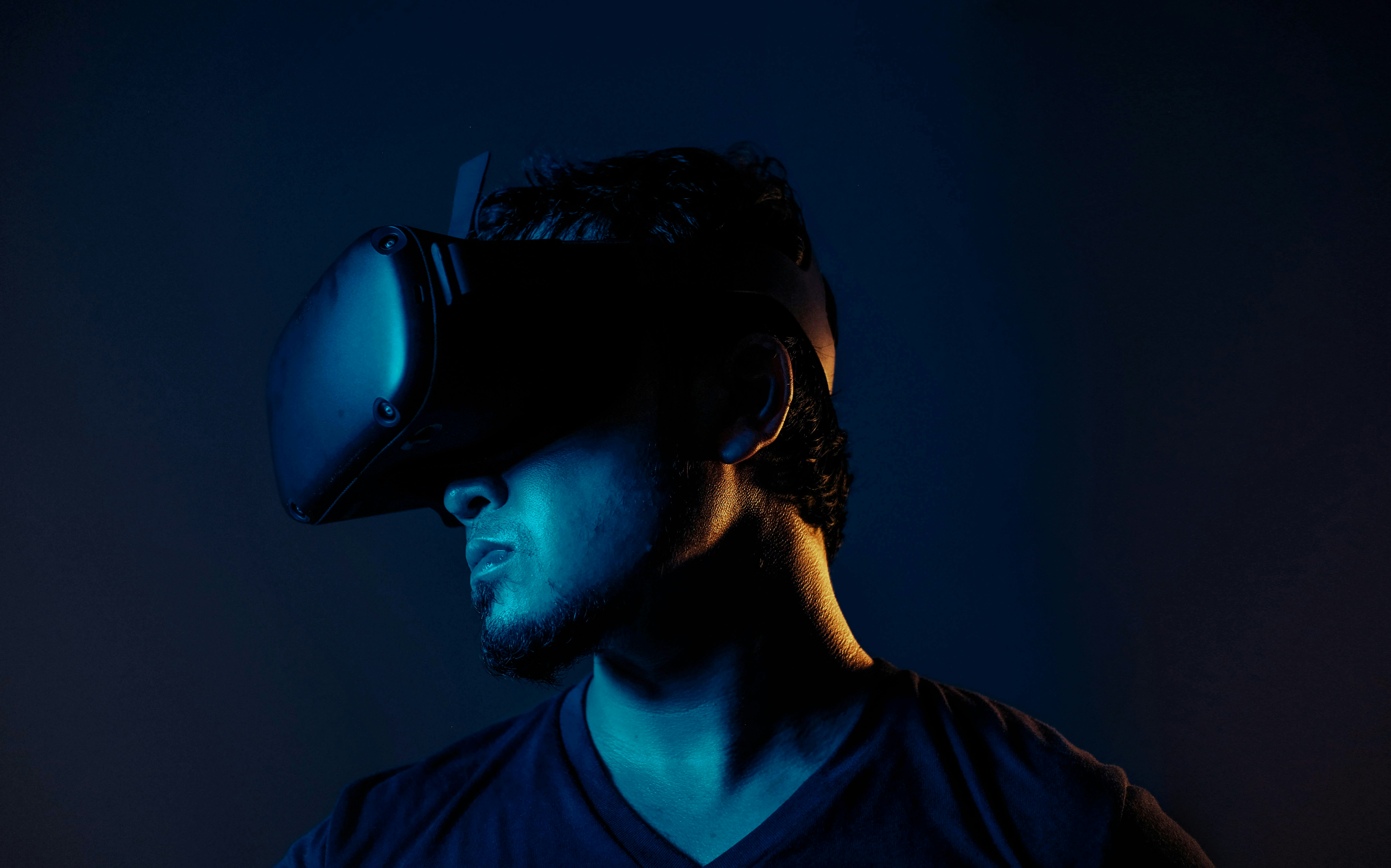
VR and AR aren’t “cool demos” anymore. When they’re built with the right goals, they can reduce training time, cut errors, speed up sales cycles, and make complex work easier to do (and easier to repeat). But the difference between a valuable deployment and an expensive experiment usually comes down to planning, performance, and the boring-but-critical stuff like device management, analytics, and content updates.
On this page, we’ll walk through VR/AR software development in plain terms: what to build, what it runs on, how to scope it, what it tends to cost, and how to choose a partner who can ship and support it. And if you want help turning a use case into a production-ready experience, we build VR/AR solutions at AGR Technology alongside our broader custom software and automation work, so integrations, data, and security don’t get treated as afterthoughts.
Get in contact with us to discuss your project
Reviews from our happy clients:

Justine Brummans
Alessio is both incredibly knowledgeable and personable! He gave me great advice that was catered to me and my situation. Thank you Alessio! Super helpful!

Springfield Equestrian Park
Alessio is amazing! I can not speak highly enough of how helpful and knowledgeable he is, my website he created far exceeded my expectations, he is so accomodating and I can only wish him every success with his business. I rate AGR technology 10 out of 10.
Legacy Energy
We used AGR Technology and dealt with Alessio to design and build our website as well as host our emails. Alessio was a pleasure to deal with and had plenty of ideas that we could implement into our site. He has a great attention to detail, he is also very polite in understanding our goals and what we wanted to achieve with our website.
Thanks mate,
Alex & Rob
Excellent Service
Alessio developed our website for our business and has done a wonderful job. He is very personable and knowledgeable. We have enjoyed working with him. We will be referring others to him and highly recommend him to those who need Tech advice.
MRC Performance
I have been in business for over 10 Years and recently moved to AGR Technology for all our IT needs. They are able to fix nearly anything remotely and always very helpful in recommending appropriate hardware upgrades that do the job as required but not costing more than needed.

Alessio provided an excellent service. He was very dedicated in his method of finding solutions to problems. He continued to try different avenues until he found the reason as to why a particular application was not working. He was very knowledgeable in his understanding of the internet and of applications and how they work, and he was able to apply this knowledge in understanding how to resolve the obstacles that continued to appear. He is understanding towards his client's needs and goals and he is willing to work with his client in achieving those goals. He is a very polite and well mannered person and very calm and gentle in his approach. I would highly recommend Alessio's services to anyone.

Palmira Rigoli
Great work ethics Alessio! We at Totally Gluten Free Products are very happy to have you on board as our IT and SEO master. Very reliable, trustworthy and knowledgeable in the field.
YouTube Comment

Nat's Custom Designs
Alessio from AGR Technology has recently helped me create a website for my business.
Throughout the whole process from start to finish Alessio made the process easy for me, by calling me and explaining each step of the way. I'm not very computer savvy, but with Alessio taking the time to explain in detail everything I needed to know from putting inventory in to having it shipped. He even remotely joined my computer to help guide me through everything.
He's very knowledgeable and is experienced in everything I needed and if there was anything else I needed to know that wasn't something he was familiar with, he researched it.
I would HIGHLY recommend Alessio to anyone. He has not only helped me for now but I know that if I ever needed help with anything else he would definitely go above and beyond to help. Thank you so much for everything you have done. It's been a long process but well worth it 🙂
Byron Macumber
AGR Technology is amazing. not only do they stick with you through out the process, they also accommodate to your wants and needs. They are efficient in their work and they have high integrity. Their capabilities are shown through their website design, and appropriate knowledge of utilities regarding software. over the many years of working with them they have been fantastic. I would recommend to everyone
Very helpful
Alessio was thorough, diligent and kept me updated at all time points. I was very impressed with his performance, passion and dedication. I will continue to use his services.
Wantrup & Associates
Alessio of AGR Technology is an IT guy we rely on whenever we need IT help. His professionalism impressed us right at the first time. He solved many of our IT problems in no time. Excellent communication and speedy response.
We highly recommend this company
From a happy customer
Valeria Bianco
I received AGR contact information from a previous client, who had found their service excellent. So I contacted AGR with some expectations, and I can say they exceeded them. Professional, honest, punctual, reliable, their service is faultless. We can't recommend them highly enough.
Very fast, value for money and a comprehensive service
AGR is professional, organised and very skilled at what they do. They take the initiative, looking after all the details that you would not have thought of to enhance your website presence, marketing funnel and automated appointment bookings. Big bonus - pricings are at a fraction of the cost of competitors.
Customer testimonial
Alessio from AGR Technology is wonderful at gently guiding the less technically savvy users to solve problems. Back up service excellent. Highly recommended
SEO for website
The team is very cooperative and delivers clean and very efficient work.

Raimond Volpe
Nothing but good things to say about Alessio. He has been great service and great at communicating with me by both phone and email. Very good knowledge and problem-solving ability with our web development. I would thoroughly recommend Alessio and AGR Technology to anyone wanting online marketing or web development
Website design
Big thank you to Alessio at AGR Technology for a smooth and easy website development process. Nothing was to difficult to accomplish, I can highly recommend his first class service.
Proudly supporting clients of all sizes to succeed through digital solutions










Why work with us?





What VR, AR, And MR Mean For Business Use Cases
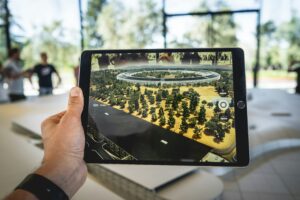
Teams often lump VR, AR, and MR together. We don’t, because the best choice depends on where your users are, what they’re trying to do, and how “hands-on” the experience needs to be.
VR Vs AR Vs MR: Choosing The Right Experience
- VR (Virtual Reality): A fully immersive, headset-based environment. Best when you want focus, repeatability, and controlled scenarios.
- Great for training simulations, safety drills, and soft-skills practice.
- AR (Augmented Reality): Digital overlays on the real world (usually via phone/tablet, sometimes via headset). Best when the real environment matters.
- Great for field service guidance, step-by-step assembly, and product visualization.
- MR (Mixed Reality): A more advanced blend where digital objects feel anchored and interactive in the real world, typically on devices like HoloLens or passthrough headsets.
- Great for collaborative workflows, spatial planning, and complex operations where users need both context and interactivity.
A simple rule we use in scoping: if users must move safely in a real space while following instructions, AR/MR usually wins. If you need consistent training conditions, measurable scenarios, and fewer real-world constraints, VR is often the better fit.
Common Industry Applications: Training, Sales, Service, And Operations
Here are some common use cases:
Training & onboarding
- Equipment operation, safety procedures, compliance scenarios
- Outcomes: reduced time-to-competency, fewer incidents, more consistent delivery
Sales & marketing enablement
- Virtual product demos, interactive showrooms, configurators
- Outcomes: higher engagement, shorter sales cycles, fewer site visits needed
Field service & maintenance
- AR work instructions, remote expert assistance, parts identification
- Outcomes: faster fixes, fewer repeat visits, better knowledge capture
Operations & design review
- Digital twins, layout planning, spatial workflows
- Outcomes: fewer reworks, better alignment across stakeholders
If you’re unsure where to start, we typically recommend picking one high-frequency workflow (training or service is common) and proving ROI with a production-grade pilot, not a flashy one-off.
Want help identifying the right VR/AR use case? Talk to AGR Technology and we’ll map opportunities to measurable KPIs.
Core Components Of VR/AR Software Development

VR/AR software development has more moving parts than a typical web app. The experience layer matters, but so does the content pipeline and the systems behind it.
Platforms And Devices: Mobile AR, WebAR, Standalone Headsets, And Tethered VR
Your device choice affects cost, performance, and adoption.
- Pros: broad reach, familiar UX, lower hardware friction
- Cons: limited immersion, variable camera/sensor performance
WebAR (browser-based AR):
- Pros: “tap a link and it works,” great for marketing and lightweight demos
- Cons: tighter performance limits, device/browser variability
Standalone headsets (e.g., Meta Quest class devices):
- Pros: no PC required, strong VR capability, easier deployment than tethered
- Cons: performance constraints vs high-end PC VR, device management needed
Tethered VR (PC + headset):
- Pros: highest fidelity, best for heavy simulations and visuals
- Cons: more setup, more points of failure, higher total cost
We’ll often prototype on a target class of device early, because “it runs fine on our dev machine” means nothing in VR if the deployment hardware can’t hit frame-rate targets.
Development Stack: Engines, SDKs, And 3D Asset Pipelines
Most production builds rely on proven real-time 3D engines:
- Engines: Unity and Unreal Engine are common choices depending on team skill, visuals, and performance needs.
- SDKs / frameworks: Platform-specific AR frameworks (like ARKit/ARCore), OpenXR for broader headset support, and vendor tools for hand tracking or passthrough.
- 3D asset pipeline:
- Modeling, texturing, rigging, animation
- Optimization (polygon reduction, texture atlases, LODs)
- Versioning and review workflows so assets don’t become a bottleneck
One practical truth: in VR/AR, 3D assets are part of your “codebase.” If you don’t plan how they’re created, optimized, and updated, timelines slip fast.
Back-End Needs: APIs, CMS, Analytics, And Identity
Even “simple” VR apps often need real business plumbing:
- APIs & integrations: ERP, CRM, LMS, inventory, equipment databases, scheduling
- CMS (content management): update training modules, product catalogs, or step sequences without rebuilding the app
- Analytics/telemetry: completion rates, time-on-task, error hotspots, device performance
- Identity & access: SSO (SAML/OIDC), role-based permissions, audit logging
At AGR Technology, we treat VR/AR as part of your digital ecosystem, so the experience connects cleanly to your data and can scale beyond a pilot.
Planning And Scoping A VR/AR Project
The fastest way to waste budget is to skip scoping and jump straight to “build the app.” A good VR/AR plan reads more like a product plan than a creative brief.
Defining Goals, Users, And Success Metrics
We start with a short set of questions:
- Who’s the user? New hires, technicians, sales reps, customers?
- Where will they use it? Factory floor, warehouse, home, retail store, classroom?
- What does success look like?
- Reduce training time by X%
- Improve first-time fix rate
- Increase demo-to-quote conversion
- Reduce errors in a key process
We also define what we’ll measure inside the app (events, funnels, session time) so ROI isn’t based on anecdotes.
Selecting Interaction Design: Hands, Controllers, Voice, And Spatial UI
Interaction design is where VR/AR projects succeed or fail.
Common options:
- Hand tracking: natural, great for training and MR, but needs thoughtful UX and lighting considerations.
- Controllers: reliable for VR, better precision, easier to learn than people expect.
- Voice: useful for hands-busy workflows, but needs noise considerations and clear command design.
- Spatial UI: panels and prompts placed in 3D space: must be readable, reachable, and stable.
We’ll usually prototype interactions early with real users. If your technicians wear gloves or your environment is loud, that changes everything.
Mapping The Content And Data Requirements
Before production, we document:
- Content types: 3D models, videos, step-by-step instructions, quizzes, voiceovers
- Data sources: asset IDs, parts lists, customer-specific catalogs, SOP versions
- Update frequency: monthly training updates? seasonal product lines? daily inventory?
- Localization needs: US English now, but future languages?
This is also where we decide whether you need a CMS, how approvals work, and who owns content updates post-launch.
If you want a scoped plan with clear deliverables and a realistic timeline, we can run a discovery workshop and produce a build-ready spec. Reach us at AGR Technology.
Building For Performance, Comfort, And Accessibility
A VR/AR experience can be brilliantly designed, and still fail in the real world if it stutters, overheats a device, or makes users feel sick. Performance and comfort aren’t “polish.” They’re core requirements.
Frame Rate, Latency, And Optimization Strategies
Performance targets vary by device, but the principle is consistent: stable frame rate beats pretty graphics.
Strategies we commonly use:
- Reduce draw calls and overdraw
- Use baked lighting where possible
- Carry out LODs (levels of detail) and occlusion culling
- Optimize shaders and particle effects
- Stream content intelligently instead of loading everything upfront
- Profile on-device early (not just in-editor)
We also plan around thermal limits on standalone headsets and mobile devices, because long sessions can degrade performance.
Comfort Design: Locomotion, Safety, And Reducing Motion Sickness
Comfort is a business risk. If employees avoid the tool, adoption dies.
Design choices that help:
- Prefer teleportation or guided movement over smooth joystick locomotion (especially for new users)
- Keep horizon and camera stable: avoid unnecessary camera shakes
- Use clear guardian/safety boundaries and onboarding prompts
- Build short, repeatable modules instead of one long session
We’ll also recommend session lengths and break patterns that match the work context (training rooms differ from on-the-floor usage).
Accessibility Considerations In Spatial Experiences
Accessibility in VR/AR isn’t one checkbox. It’s multiple layers:
- Readable UI: scalable text, strong contrast, legible fonts in 3D space
- Audio options: captions, adjustable volume, clear narration
- Input flexibility: support controller + hand tracking where feasible: avoid requiring fine motor precision only
- Seated/standing modes: allow both when the use case supports it
If your organization has accessibility policies, we align the interaction patterns and UI standards early so it doesn’t become a rework item late in QA.
Testing, Deployment, And Maintenance In The Real World
VR/AR doesn’t ship into a controlled lab. It ships into warehouses with reflective floors, job sites with poor lighting, and offices with locked-down networks. That’s why we plan deployment and maintenance from day one.
Device Testing And Environmental Variability
We test across:
- Multiple device models (and storage/OS variations)
- Lighting conditions (bright, dim, mixed)
- Real user motion (fast turns, kneeling, reaching)
- Network conditions (offline, captive portals, poor Wi‑Fi)
For AR in particular, tracking can be affected by glossy surfaces, low texture environments, or clutter, so we validate assumptions early.
App Distribution, Security, And Compliance
Depending on your needs, distribution might include:
- Public app stores
- Enterprise distribution / MDM-managed deployment
- Private headset app channels
Security typically includes:
- SSO integration and role-based access
- Secure API communication
- Data retention rules for telemetry
- Device management policies (especially for shared headsets)
If you operate in regulated environments, we’ll align deployment with your compliance requirements and internal review processes.
Ongoing Updates: Content Refresh, Telemetry, And Support
Most VR/AR value comes after launch:
- Content refresh: new modules, updated procedures, product line changes
- Telemetry: understand where users struggle, where sessions drop, which devices underperform
- Support: headset fleet issues, onboarding, bug fixes, OS updates
We can set up a maintenance plan that includes SLA options, monitoring, and an update cadence that fits your operations, so your experience doesn’t degrade six months after launch.
If you’re planning a rollout, let’s talk about a supportable deployment model at AGR Technology.
Costs, Timelines, And Team Roles
Budget and timeline questions are fair, and we prefer answering them with real drivers rather than vague ranges. VR/AR software development cost is mostly a function of content complexity, device targets, and integrations.
Typical Budget Drivers: Hardware, Assets, And Integrations
Common cost drivers include:
- Hardware & device management: headsets, accessories, charging/storage, MDM setup
- 3D assets: custom modeling, scanning, animation, optimization (often the biggest swing factor)
- Integrations: LMS/CRM/ERP connections, SSO, data syncing, offline modes
- Interaction complexity: hand tracking, physics interactions, multi-user collaboration
- Compliance/security: audits, logging, data controls
A quick reality check: a “simple” prototype can be inexpensive, but production readiness (security, analytics, device testing, content workflows) is where serious value is created, and where serious effort lives.
Timeline Expectations From Prototype To Production
Timelines depend on scope, but many projects follow a pattern:
- Prototype (proof of concept): validate the core interaction and device fit
- Pilot (limited rollout): real users, real environment, measurable outcomes
- Production: hardened build, integrations, analytics, deployment plan, documentation
The best time-saver is making key decisions early: target devices, content sources, interaction approach, and what “done” means.
Who You Need: Product, 3D, Engineering, QA, And DevOps
A balanced delivery team typically includes:
- Product/Project lead: keeps scope realistic, aligns stakeholders, owns success metrics
- UX/spatial designer: interaction patterns, onboarding, comfort and safety
- 3D artists/technical artists: asset creation + optimization for target hardware
- VR/AR engineers: real-time development, platform SDKs, performance tuning
- Back-end engineers: APIs, identity, CMS, integrations
- QA testers: device matrix testing, regression, performance validation
- DevOps/Release support: build pipelines, deployments, monitoring, updates
At AGR Technology, we cover the full stack, from the headset experience to the systems behind it, so you don’t have to coordinate multiple vendors to ship one product.
How To Choose A VR/AR Development Partner
The right partner doesn’t just make something that looks good in a demo. They help you deploy something people actually use, and can be maintained without drama.
Evaluating Portfolios, Technical Fit, And Delivery Process
When you review partners, look for evidence of:
- Comparable complexity: not just flashy visuals, similar device targets, similar workflows
- Performance discipline: stable frame rates on the hardware you’ll deploy
- A clear process: discovery → prototype → pilot → production, with measurable gates
- Integration capability: APIs, identity, analytics, CMS, security (this is where many studios struggle)
- Documentation & handover: so you’re not locked into tribal knowledge
We recommend asking to see:
- A short walkthrough of a shipped project (what went wrong, what changed, what they learned)
- How they handle asset optimization and performance profiling
- Their testing matrix and deployment approach
Questions To Ask About IP, Data Ownership, And Post-Launch Support
These questions save headaches later:
- Who owns the source code and 3D assets?
- What’s the licensing model for third-party assets and SDKs?
- Where does telemetry data live, and who can access it?
- What happens after launch? (SLAs, bug fixes, OS updates, content changes)
- How do you avoid vendor lock-in?
At AGR Technology, we’re transparent about ownership, documentation, and long-term support. If you want a partner who can handle both the immersive build and the enterprise-grade plumbing behind it, we should talk.
Next step: Request a scoping call through AGR Technology and we’ll help you choose the right platform, define success metrics, and build a realistic delivery plan.
Conclusion
VR/AR software development works best when it’s treated like a business system, not a one-time “experience.” The winning projects have a clear use case, a sensible device strategy, optimized performance, and a plan for content updates and support.
If you’re exploring VR training, AR field service, MR collaboration, or interactive product demos, we can help you get from idea to rollout without guesswork.
Reach out to AGR Technology to discuss your goals, timelines, and what a practical pilot would look like for your team.
Frequently Asked Questions (VR/AR Software Development)
What is VR/AR software development for business, and what outcomes can it drive?
VR/AR software development creates immersive VR training, real-world AR guidance, or MR workflows that connect to business systems. When scoped to measurable goals, it can reduce training time, cut operational errors, speed up sales cycles with interactive demos, and make complex procedures more repeatable across teams and sites.
How do I choose between VR vs AR vs MR for a VR/AR software development project?
Choose based on where users work and what they must do. VR is best for controlled, repeatable training scenarios. AR works when real-world context matters, like assembly or field service. MR fits spatial collaboration and anchored, interactive overlays. A common rule: real-space movement favors AR/MR; consistent scenarios favor VR.
What tech stack is most common in VR/AR software development (engines, SDKs, and back end)?
Most production builds use Unity or Unreal Engine, plus platform SDKs like ARKit/ARCore, OpenXR for broader headset support, and vendor tools for hand tracking or passthrough. On the back end, teams often need APIs (ERP/CRM/LMS), a CMS for content updates, analytics/telemetry, and SSO (SAML/OIDC) with role-based access.
How much does VR/AR software development cost, and what drives the budget most?
Cost is driven less by “VR” and more by what you’re building: target devices, 3D asset complexity, and enterprise integrations. The biggest swings are usually custom modeling/animation/optimization, SSO and data connections (LMS/ERP/CRM), offline needs, and production hardening like analytics, security controls, testing across device matrices, and device management for shared headsets.
How long does VR/AR software development take from prototype to production rollout?
Timelines typically follow phases: prototype (prove device fit and core interactions), pilot (limited rollout with real users and KPI measurement), then production (hardened performance, integrations, analytics, deployment documentation, and support plan). The fastest accelerators are early decisions on devices, content sources, interaction design, and a clear definition of “done.”
What are best practices to reduce motion sickness and improve comfort in VR apps?
Prioritize comfort as a core requirement: keep frame rate stable, minimize latency, and avoid unnecessary camera motion. For locomotion, teleportation or guided movement is often better than smooth joystick movement, especially for new users. Add safety boundaries, strong onboarding, and shorter modules with breaks. Test on-device, in real environments, early.
Other solutions