![logo-new-23[1]](https://agrtech.com.au/wp-content/uploads/elementor/thumbs/logo-new-231-qad2sqbr9f0wlvza81xod18hkirbk9apc0elfhpco4.png "logo-new-23[1]")
Trying to decide between colocation and cloud hosting? You’re not alone. Teams come to us when they need more control, predictable costs, or faster scale, but the right answer depends on your workloads and risk profile. In this guide, we explain what sets colocation apart from cloud hosting, how each model impacts cost, performance, security, and compliance, and where hybrid options make sense. If you’d like tailored advice, we can audit your environment and map a clear path forward, no guesswork.
Colocation vs Cloud Hosting: Quick Definitions and Core Differences
What Is Colocation?
Colocation (or “colo”) means you place your own servers, storage, and networking gear in a third‑party data centre. You pay for rack space, power, cooling, connectivity, and remote hands. You keep ownership of the hardware and full control of the stack from the operating system up. Think predictable performance, custom hardware, and clear asset ownership.
Typical add‑ons include cross‑connects, DDoS protection, managed firewalls, and hosting support. If you already run dedicated servers and want enterprise facilities without building your own data centre, colocation fits.
What Is Cloud Hosting?
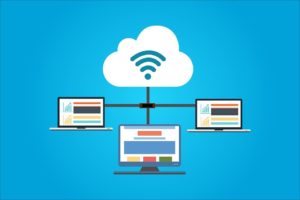
Cloud hosting delivers compute, storage, and networking as on‑demand services. You don’t buy servers. You consume virtual machines, containers, managed databases, object storage, and platform services (IaaS/PaaS) via an API or portal. Capacity scales up or down in minutes, and billing is usage‑based. Public cloud is the default, with private and hybrid cloud options for regulated workloads.
The Core Difference: Ownership, Control, and Abstraction
- Ownership: Colocation = you own hardware. Cloud = provider owns hardware.
- Control: Colocation = granular control of BIOS, network, and data paths. Cloud = you control your instances and data, but not the underlying hardware.
- Abstraction: Colocation exposes physical infrastructure. Cloud abstracts it into services with SLAs and automation.
Need help deciding? Ask us for an AGR Technology workload review, fast, vendor‑neutral, and practical.
Architecture and Shared Responsibility Model
Physical vs. Virtual Layers
- Colocation: You manage physical servers, switches, firewalls, hypervisors, and the OS. The data centre provides space, power, cooling, and physical security. Architecture is bespoke, great for high‑performance databases, latency‑sensitive apps, or specialised GPUs/ASICs.
- Cloud: The provider manages facilities and physical hardware. You consume virtual layers, instances, VPCs, managed storage, Kubernetes, serverless. It’s ideal for elastic workloads, analytics bursts, and modern app stacks.
Management and Support Boundaries
- Colocation responsibilities: You handle capacity planning, patches, hardware lifecycle, backups, and DR design. Data centre SLAs cover facility uptime and remote hands.
- Cloud responsibilities: The provider secures the cloud (data centre, hardware, hypervisor). You secure what you run in the cloud (config, identities, data, code). Misconfigurations, not the cloud, cause most incidents.
We can carry out a clear RACI so nothing falls through the cracks, ask AGR Technology for a responsibilities matrix tailored to your environment.
Cost Models and Total Cost of Ownership
CapEx vs. OpEx Dynamics
- Colocation: Upfront CapEx for hardware, then predictable monthly OpEx (rack space, power, bandwidth). Depreciation can suit finance teams wanting asset ownership and stable costs.
- Cloud: Primarily OpEx. Pay‑as‑you‑go, with options like reserved instances and savings plans to reduce spend. Great for experiments and variable demand.
Variable Costs, Hidden Fees, and Commitments
- Colocation: Costs are transparent, space (U/kW), power draw, cross‑connects, smart hands. Hidden costs usually come from under‑estimating power or growth.
- Cloud: Watch egress fees, managed service premiums, snapshot/storage tiers, inter‑AZ traffic, and under‑used resources. Commitments (1–3 year) lower unit prices but reduce flexibility.
Three-Year Cost Scenarios and Break-Even Points
- Steady, high‑utilisation workloads (databases, VDI, analytics clusters): Colocation often breaks even within 18–30 months versus on‑demand cloud, especially with high IOPS storage and constant CPU.
- Spiky or seasonal workloads (retail peaks, data processing bursts): Cloud’s elasticity usually wins. Scale to zero matters.
- Data‑heavy apps with large outbound traffic: Colocation can be cheaper by avoiding public cloud egress fees.
Not sure where your TCO lands? We’ll model 3‑year scenarios, including hardware refresh, energy rates, and cloud discounts, and give you a clear break‑even view. Book a cost assessment with AGR Technology.
Performance, Reliability, and Scalability
Latency, Throughput, and Workload Characteristics
- Colocation: Lowest, most predictable latency when you place gear close to users or carriers. Excellent for trading, real‑time media, and storage‑intensive apps with fixed high throughput.
- Cloud: Good baseline latency with global reach. Ideal for distributed services, content delivery, and microservices needing rapid horizontal scale.
Uptime, Redundancy, and Disaster Recovery
- Colocation: You design redundancy, dual power, diverse carriers, multi‑site replication. Many Tier III/IV facilities offer 99.982%+ uptime infrastructure. Your DR strategy defines outcomes.
- Cloud: Built‑in multi‑AZ options and managed backups help target 99.9–99.99%+ service SLAs. True resilience still requires architecture across AZs/regions.
Elasticity, Autoscaling, and Capacity Planning
- Colocation: Capacity planning is critical, order hardware ahead of demand. Great for consistent workloads.
- Cloud: Autoscaling, serverless, and managed queues balance load automatically. Perfect for variable demand and experimentation.
We can benchmark your workloads (latency, IOPS, bandwidth) and map them to the right platform. Ask AGR Technology for a workload performance test.
Security, Compliance, and Data Sovereignty
Control and Customization vs. Managed Security Services
- Colocation: Maximum control over security stack, custom firewalls, IDS/IPS, HSMs, dedicated key management, and air‑gapped backups. Great when you need bespoke controls or hardware isolation.
- Cloud: Mature security services, WAF, DDoS mitigation, KMS, IAM, and logging at scale. Strong defaults but requires disciplined configuration and monitoring.
Audits, Certifications, and Regulatory Requirements
Look for ISO 27001, SOC 2 Type II, PCI DSS, and data centre Tier certifications. In the cloud, validate shared responsibility and service‑specific attestations. For regulated sectors, align with frameworks such as GDPR, HIPAA, or industry rules that apply to your region and data residency needs. We help map controls, collect evidence, and pass audits without surprises.
Risk Considerations: Insider, Supply Chain, and Vendor Lock-In
- Insider and supply‑chain risks exist in both models, mitigate with access controls, zero trust, and vetted providers.
- Vendor lock‑in: Colocation locks you to assets: cloud can lock you to proprietary services. Use portability practices, containers, open standards, multi‑region design, to reduce risk.
Need a compliance plan or risk register? AGR Technology can run a security gap assessment and roadmap it with you.
Use Cases and Decision Checklist
When Colocation Fits Best
- High, steady utilisation with predictable growth
- Low‑latency or specialised hardware needs (NVMe, GPUs, FPGA)
- Strict data residency or hardware isolation requirements
- Desire for fixed costs and asset ownership
When Cloud Hosting Fits Best
- Variable or unpredictable demand
- Rapid experimentation, Dev/Test, CI/CD, and modern app stacks
- Managed services (databases, event streaming, analytics) reduce ops overhead
- Global reach with minimal lead time
Hybrid and Edge Options
- Keep steady, data‑heavy cores in colocation: burst to cloud for spikes
- Use cloud for app tier and colo for databases to control egress
- Place edge nodes in regional facilities for ultra‑low latency
Decision prompts:
- What’s our 36‑month utilisation profile?
- Where do we need data to live, and why?
- Do we need custom hardware or managed services?
- What is our recovery point/time objective (RPO/RTO)?
Want a neutral plan? Book a hybrid architecture workshop with AGR Technology.
Conclusion
Colocation and cloud hosting solve different problems. Colocation gives control, customisation, and predictable costs. Cloud offers speed, flexibility, and managed services. Most teams end up hybrid, put steady, sensitive, or data‑heavy workloads where control matters, and use cloud for elasticity and innovation.
If you’d like clarity, we’ll assess your workloads, model the costs, and design a secure, compliant architecture. Contact AGR Technology to request a quote or schedule a consult.
Frequently Asked Questions
What is the main difference between colocation vs cloud hosting?
Colocation means you own and place your servers in a third‑party data center, retaining full stack control from BIOS to OS. Cloud hosting abstracts hardware into services you consume on demand. The provider owns the infrastructure, and you manage instances, configs, and data within a shared responsibility model.
Which is cheaper over three years: colocation vs cloud hosting?
It depends on workload patterns. For steady, high‑utilization workloads (databases, VDI, analytics), colocation often breaks even within 18–30 months, especially with high IOPS storage. For spiky or seasonal demand, cloud’s elasticity usually wins. Large outbound traffic can favor colocation by avoiding public cloud egress fees.
When should I choose colocation vs cloud hosting for performance and latency?
Choose colocation for ultra‑predictable, low latency near users or carriers, real‑time media, trading, or storage‑intensive apps needing fixed high throughput. Cloud hosting suits distributed services, global reach, and microservices that need rapid horizontal scaling. Baseline latency is good in cloud, but determinism and specialized hardware favor colocation.
How do security and compliance differ between colocation and cloud hosting?
In colocation, you control the full security stack—custom firewalls, IDS/IPS, HSMs, key management, and air‑gapped backups—while the facility handles physical security. In cloud, the provider secures infrastructure; you secure configurations, identities, code, and data. Validate ISO 27001, SOC 2, PCI DSS, and align with GDPR or HIPAA.
Can I migrate from cloud to colocation, and what steps are involved?
Yes. Assess workloads and utilization, size hardware for CPU, RAM, IOPS, and network, and plan data transfer (Direct Connect, high‑speed links, or seeding). Procure racks and power, design redundancy, and test restores. Stage environments, rehearse cutovers, and switch traffic gradually with DNS, load balancers, or IP failover.
Does colocation support Kubernetes and modern DevOps workflows?
Absolutely. You can run Kubernetes on bare metal or virtualized nodes in colocation, integrate CI/CD, GitOps, observability, and IaC tools (Terraform, Ansible). The trade‑off: you gain control and performance but own cluster lifecycle tasks—capacity planning, patching, upgrades, and hardware resiliency—rather than relying on managed services.
Related resources:
IT Services & Consulting Australia
Migration Support For Web Hosts
Web Hosting Services for Domain Investors
Windows Server Hosting Services
Managed BuddyBoss hosting services

Alessio Rigoli is the founder of AGR Technology and got his start working in the IT space originally in Education and then in the private sector helping businesses in various industries. Alessio maintains the blog and is interested in a number of different topics emerging and current such as Digital marketing, Software development, Cryptocurrency/Blockchain, Cyber security, Linux and more.
Alessio Rigoli, AGR Technology