![logo-new-23[1]](https://agrtech.com.au/wp-content/uploads/elementor/thumbs/logo-new-231-qad2sqbr9f0wlvza81xod18hkirbk9apc0elfhpco4.png "logo-new-23[1]")

Running a small business in means wearing too many hats. Calls, web chats, bookings, basic questions – they don’t stop, even when we’re on a job, with a client, or finally off the clock.
That’s where an AI receptionist can actually help, not just add another bit of tech to manage.
In this guide, we walk through what an AI receptionist is, how it works in plain language, what to look for, and how we at AGR Technology can help you roll it out without breaking your budget or annoying your customers.
Need help streamlining your business with a comprehensive digital strategy? Contact AGR Technology today to see how we can help
What Is An AI Receptionist And How Does It Work?
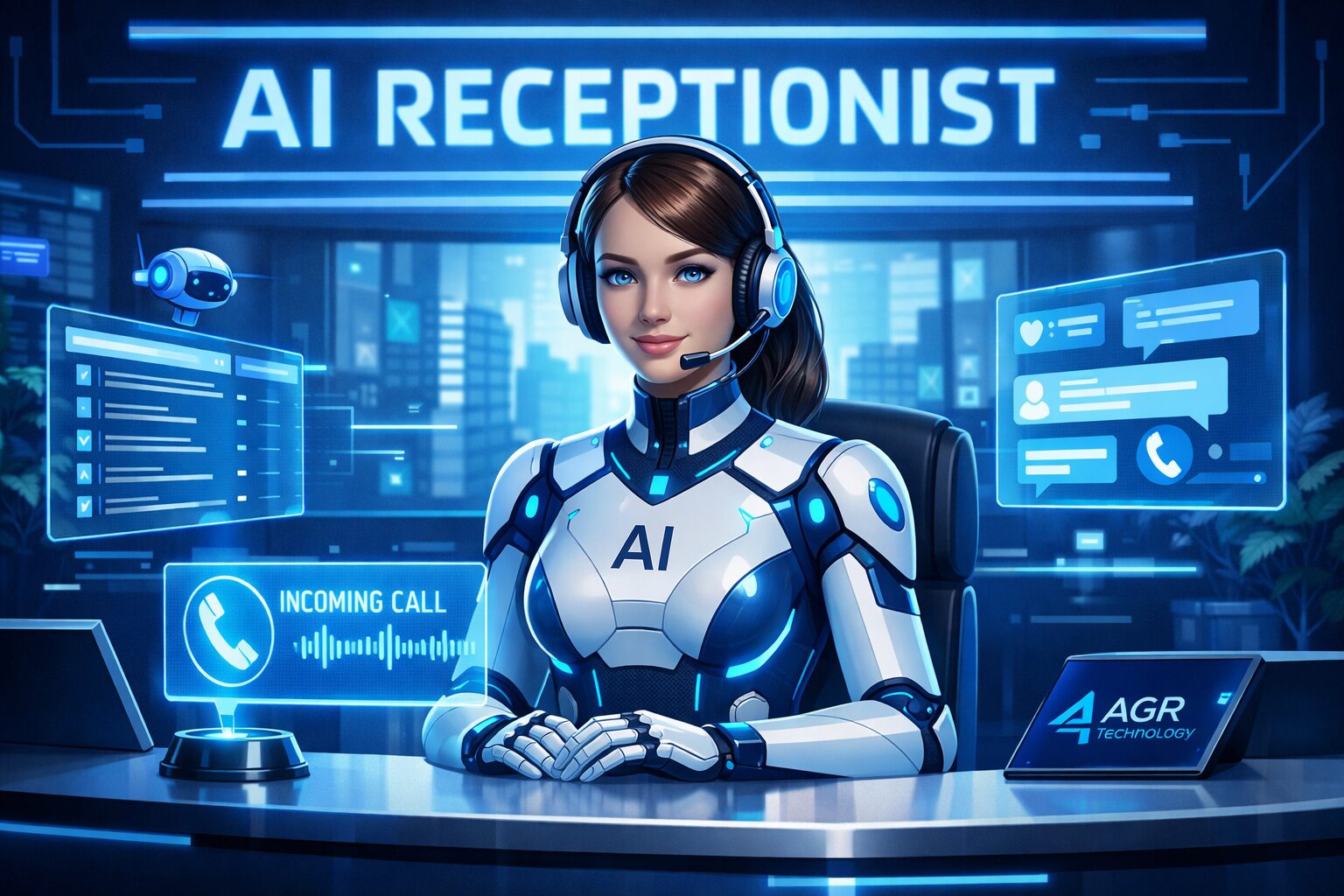
An AI receptionist is a digital receptionist that answers calls, chats, and enquiries automatically using artificial intelligence. Instead of a person picking up the phone every time, software listens, understands, and responds based on rules and knowledge we set.
At AGR Technology, we design AI receptionist systems that:
- Answer and route phone calls
- Handle live chat on your website
- Collect details and create leads
- Take and confirm bookings
- Answer common questions 24/7
Under the hood, the AI receptionist uses:
- Speech recognition – to turn a caller’s voice into text
- Natural language processing (NLP) – to work out what they want
- Business rules and workflows – to decide what to do next
- Text-to-speech – to reply with a natural voice
- Integrations – to send data into your CRM, booking or ticketing system
You stay in control. We set clear boundaries: what the AI can answer, what it must escalate, and when it hands off to a human.
Types Of AI Receptionists: Phone, Chat, And In‑Person Kiosk
Most small businesses start with one main channel, then add more as things prove their value. The main types are:
- Phone AI receptionist
Ideal if you’re missing calls or relying on voicemail. The AI answers your main number, greets callers, routes calls, takes messages, or books appointments.
- Website chat or messaging bot
A small chat widget on your site that can answer FAQs, capture leads, and help people book or request a quote.
- In‑person kiosk or tablet
Useful for unattended reception, shared offices, clinics, or workshops. Visitors can check in on a tablet and the AI notifies the right person.
We often start clients with phone + simple website chat, then layer in more once they’re comfortable and seeing results.
How AI Receptionists Integrate With Your Existing Tools
An AI receptionist works best when it’s plugged into the systems you already use, not sitting off on its own.
We typically connect AI receptionists into:
- Phone systems and VoIP – so the AI can answer your main line and route calls
- Calendar and booking tools (Google Calendar, Microsoft 365, Calendly, Cliniko, etc.) – so it can book and reschedule appointments
- CRM and lead management tools (HubSpot, Pipedrive, Zoho, etc.) – so enquiries get logged automatically
- Helpdesk or ticketing systems (Zendesk, Freshdesk, ServiceM8, etc.) – to raise jobs or support tickets
- Email and SMS – to send confirmations and follow‑ups
At AGR Technology, we map out your current tools and processes first, then design the AI receptionist to slot in cleanly, with clear data flows and audit trails so you know what’s happening with each interaction.
Why Small Businesses Are Turning To AI Receptionists

We see the same problems across tradies, clinics, agencies, and local retailers:
- Calls coming in while everyone’s on the tools or with clients
- Staff being pulled off real work just to answer simple questions
- Missed calls after hours, on weekends, or public holidays
- High cost of hiring extra admin or reception staff
An AI receptionist helps by:
- Reducing missed calls and lost leads
The AI can answer every call, even if you’re busy, on‑site, or closed.
- Providing 24/7 coverage
Your business looks responsive, even outside normal hours.
- Lowering staffing and training costs
Instead of hiring another full‑time receptionist, you pay a monthly fee for automated answering and routing.
- Freeing your team for higher‑value work
Staff spend less time on “What are your hours?” and more time on jobs that actually need their skills.
- Improving consistency
Every caller gets the same clear greeting, compliant wording, and accurate information.
For many of our clients, the first “aha” moment is seeing call reports. They realise how many calls were being missed or abandoned that the AI now captures.
Cost Comparison: AI Receptionist Versus Traditional Staffing
Costs vary, but the pattern is simple:
- Traditional receptionist
- Salary + super + leave + workspace
- Training time and management overhead
- Limited to business hours
- AI receptionist (via AGR Technology)
- Predictable monthly subscription
- Setup and tuning costs up front, then low ongoing maintenance
- 24/7 coverage with no overtime
For a lot of small businesses, even replacing part of the workload – out‑of‑hours calls, basic triage, simple FAQs – can pay for itself in a few months.
Core Features To Look For In An AI Receptionist
Not all virtual reception systems are created equal. When we help clients choose or design an AI receptionist, we focus on features that actually matter in day‑to‑day use.
Key things to look for:
- Natural‑sounding voice and clear language
Callers shouldn’t feel like they’re fighting a robot.
- Accurate call routing and message taking
It should reliably work out who the caller needs and what the call is about.
- Support for Australian phone systems and numbers
Some tools are built only for US markets. We make sure they play nicely with local VoIP providers and mobile networks.
- Customisable greetings and scripts
You should be able to match your brand tone, compliance wording, and legal requirements.
- Integration with calendars, CRMs, and ticketing
So bookings and enquiries go straight into the tools you already use.
- Fallback to humans
Easy transfer to a real person or voicemail when needed, with full context.
- Analytics and reporting
Call volumes, missed call reduction, booking rates, and common questions.
Matching Features To Your Use Cases
Rather than chasing every feature, we start with your real use cases. A few examples:
- Busy trades business
Priority: taking job details, capturing leads, sending SMS confirmations, and routing emergencies.
- Medical or allied health clinic
Priority: appointment booking, reminders, cancellations, and clear triage (“this is urgent, call 000”).
- Professional services firm (accounting, legal, consulting)
Priority: qualifying enquiries, collecting documents, scheduling consults.
We map each use case to features: call flow logic, knowledge base content, booking logic, and escalation rules. That way you’re paying for features you use, not a long list you’ll never touch.
If you’d like help mapping your own use cases, we can run a short discovery call and build an outline with you.
How To Decide If An AI Receptionist Is Right For Your Business
An AI receptionist isn’t the right answer for every small business. We usually suggest you ask:
- How many calls or chats do we miss each week?
If customers constantly say “we tried to ring you”, that’s a sign.
- Do we get a lot of repetitive enquiries?
Opening hours, prices, directions, service areas – these are easy wins for automation.
- Are we planning to grow or open extra locations?
An AI receptionist scales more easily than extra headcount.
- Do we already have basic digital tools in place?
A modern phone system, online calendar, or CRM makes integration simpler.
- Are our customers comfortable with some automation?
In many industries they now expect it, as long as they can reach a human if needed.
If your main value is deep, personal phone conversations every time, full automation may not be ideal. But even then, an AI receptionist can still filter spam calls, handle after‑hours messages, and support your human team rather than replace them.
Want an honest opinion? We’re happy to tell you if we don’t think AI reception is a good fit for your situation.
Planning And Implementing Your First AI Receptionist
Good planning is the difference between “this is brilliant” and “our customers hate it”. We follow a clear, practical process when rolling out AI reception for small businesses.
- Clarify goals
Are we trying to reduce missed calls, cut admin time, extend hours, or all of the above? We define what success looks like.
- Audit current call and enquiry flows
How callers currently reach you, what happens on each line, who handles what, and where things fall through the cracks.
- Choose channels and tools
Decide if we start with phone, chat, or both, and which platforms fit best with your existing tech.
- Design and configure the AI receptionist
Greetings, menus, call routing, knowledge base, booking rules, and escalation paths.
- Soft launch and monitoring
Start with limited hours or a subset of calls, monitor closely, and adjust.
- Full rollout and review
Expand coverage once we’re confident in performance.
Defining Call And Message Flows
We map out flows visually so everyone understands what will happen.
Typical call flows include:
- Greeting → identify reason for call → route to team or answer question
- After‑hours → offer message, booking, or emergency instructions
- Existing client vs new enquiry routing
For chats and messages, we plan:
- How the AI asks for details (name, contact, job type)
- When to offer self‑service vs human help
- How to handle incomplete or unclear questions
We capture this in a simple flowchart and keep it updated as we learn.
Training The AI On Your Business Knowledge
The AI is only as good as the information we feed it.
We build a business knowledge base that covers:
- Services and pricing structure
- Service areas or locations
- Opening hours and seasonal changes
- Policies (cancellations, refunds, warranties)
- Industry‑specific compliance wording
Best Practices To Get The Most From Your AI Receptionist
Once your AI receptionist is in place, a few habits make a big difference to results.
- Keep greetings short and clear
Callers don’t want a long speech. We get to the point quickly.
- Offer a clear path to a human
Even if 90% of calls are handled by AI, people relax when they know they can ask for a person.
- Update your knowledge base regularly
New services, changed prices, public holiday hours – we keep the AI current.
- Use analytics to refine
We look at what people ask, how often calls are transferred, and where conversations drop off.
- Test the experience yourself
Call in as if you were a customer and see how it feels.
Measuring Success And Optimizing Over Time
We don’t just “set and forget”. We track metrics such as:
- Number of calls answered by AI vs humans
- Missed call rate before vs after implementation
- Bookings or enquiries created by the AI
- Average handling time and transfer rate
- Customer feedback and complaint trends
From there we can:
- Simplify confusing menus
- Add new answers to common questions
- Adjust routing so the right staff get the right calls
- Fine‑tune when to escalate to a human
The goal isn’t to automate everything. It’s to find the sweet spot where customers are looked after quickly and your team isn’t buried in repetitive admin.
If you’d like us to review your current phone and enquiry setup, we can usually spot a few quick wins in one short session.
Common Concerns, Risks, And How To Address Them
Most owners have reasonable concerns when they first look at an AI receptionist. We hear things like:
- “Will it frustrate our customers?”
It can, if it’s badly set up. We minimise this with short menus, natural language, and the option to reach a human.
- “What if it gives the wrong information?”
We keep the AI on a tight leash: clear knowledge base, limited topics, and rules about when to transfer or log a message instead of guessing.
- “Is it secure and privacy‑compliant?”
We select platforms with strong security, Australian data‑handling options where possible, and clear logs. For sensitive industries, we align with relevant privacy guidelines.
- “Will this replace our staff?”
In most small businesses, it doesn’t. It reduces low‑value admin so staff can focus on customers and higher‑skill work.
We’re upfront about these issues. If we think a certain level of automation would be risky for your industry or client base, we’ll explain why and suggest a more conservative rollout.
If you want a second opinion on a tool you’re considering, we’re happy to look over it and point out any gaps or risks.
Conclusion
An AI receptionist can give a small business something that used to be out of reach: reliable, 24/7 reception without the cost of a large admin team.
When it’s planned well and grounded in your real workflows, it:
- Cuts missed calls and lost enquiries
- Handles repetitive questions and bookings
- Frees your staff to focus on higher‑value work
- Gives customers faster, more consistent service
At AGR Technology, we work with small businesses to design, set up, and refine AI receptionist solutions that fit the way you already work – not the other way around.
If you’re curious whether this would suit your business, we can:
- Review your current call and enquiry handling
- Estimate potential savings and service improvements
- Propose a simple rollout plan you can approve or adjust
Ready to explore an AI receptionist for your small business?
Get in touch with AGR Technology today and we’ll walk you through realistic options, costs, and next steps – no hard sell, just clear advice based on what we see working day to day for businesses like yours.
Frequently Asked Questions
What is an AI receptionist for small business and how does it work?
An AI receptionist for small business is a digital receptionist that answers calls, website chats, and enquiries automatically using artificial intelligence. It uses speech recognition, natural language processing, business rules, and integrations with your calendar, CRM, and email to route calls, book appointments, collect details, and answer common questions 24/7.
How can an AI receptionist help a small business reduce missed calls and improve service?
An AI receptionist answers every call, even when your team is on-site, with clients, or closed. It can handle simple questions, take messages, and book appointments around the clock. This reduces missed calls, captures more leads, improves response times, and frees staff from repetitive admin so they can focus on higher‑value work.
What should small businesses look for when choosing an AI receptionist solution?
Key features include a natural‑sounding voice, accurate call routing, Australian phone system support, customizable greetings, strong integrations with calendars and CRMs, clear escalation to humans, and analytics. These ensure the AI receptionist fits your existing tools, maintains your brand tone, and gives you visibility into call volumes and outcomes.
How much does an AI receptionist for small business typically cost compared with hiring staff?
While exact pricing varies by provider and call volume, AI receptionists usually run on a predictable monthly subscription plus one‑off setup. In contrast, hiring a receptionist involves salary, super, leave, workspace, and training. Many small businesses find that automating after‑hours calls and basic triage pays for itself within a few months.
How long does it take to set up an AI receptionist and train it on my business?
Implementation time depends on complexity, but a basic AI receptionist for a small business can often be planned, configured, and soft‑launched in a few weeks. The process typically includes mapping current call flows, integrating phone and calendar tools, writing greetings and scripts, then refining the system using real call data after launch.
Related content:
Cyber Security Services For Small Businesses
Affordable SEO services for small businesses
Website Design for Small Business

Alessio Rigoli is the founder of AGR Technology and got his start working in the IT space originally in Education and then in the private sector helping businesses in various industries. Alessio maintains the blog and is interested in a number of different topics emerging and current such as Digital marketing, Software development, Cryptocurrency/Blockchain, Cyber security, Linux and more.
Alessio Rigoli, AGR Technology