![logo-new-23[1]](https://cdn-ihdfn.nitrocdn.com/eZVJvoSTyVixkEUySRKiaseNtUlmgCyu/assets/images/optimized/rev-b7ced37/agrtech.com.au/wp-content/uploads/elementor/thumbs/logo-new-231-qad2sqbr9f0wlvza81xod18hkirbk9apc0elfhpco4.png "logo-new-23[1]")
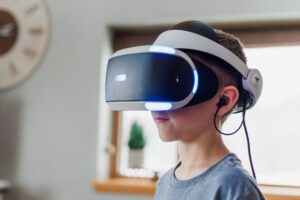
Immersive games aren’t just “cool tech” anymore. For a lot of businesses, AR and VR have become practical tools for training teams, showcasing products, and creating standout customer experiences, without the limits of a physical space.
But here’s the part most teams don’t hear early enough: the success of an AR/VR build usually comes down to the decisions you make before you write a single line of code, platform, devices, interaction model, content scope, and how you’ll measure ROI.
On this page, we break down what AR/VR game development services actually include, the most common business use cases, how the development process works, what drives budget and timelines, and how to choose the right partner. If you want to explore a specific idea with a technical team, AGR Technology can help you validate it quickly and build it properly, without over-scoping or guesswork.
Get in contact with us to discuss your project
Reviews from our happy clients:

Justine Brummans
Alessio is both incredibly knowledgeable and personable! He gave me great advice that was catered to me and my situation. Thank you Alessio! Super helpful!

Springfield Equestrian Park
Alessio is amazing! I can not speak highly enough of how helpful and knowledgeable he is, my website he created far exceeded my expectations, he is so accomodating and I can only wish him every success with his business. I rate AGR technology 10 out of 10.
Legacy Energy
We used AGR Technology and dealt with Alessio to design and build our website as well as host our emails. Alessio was a pleasure to deal with and had plenty of ideas that we could implement into our site. He has a great attention to detail, he is also very polite in understanding our goals and what we wanted to achieve with our website.
Thanks mate,
Alex & Rob
Excellent Service
Alessio developed our website for our business and has done a wonderful job. He is very personable and knowledgeable. We have enjoyed working with him. We will be referring others to him and highly recommend him to those who need Tech advice.
MRC Performance
I have been in business for over 10 Years and recently moved to AGR Technology for all our IT needs. They are able to fix nearly anything remotely and always very helpful in recommending appropriate hardware upgrades that do the job as required but not costing more than needed.

Alessio provided an excellent service. He was very dedicated in his method of finding solutions to problems. He continued to try different avenues until he found the reason as to why a particular application was not working. He was very knowledgeable in his understanding of the internet and of applications and how they work, and he was able to apply this knowledge in understanding how to resolve the obstacles that continued to appear. He is understanding towards his client's needs and goals and he is willing to work with his client in achieving those goals. He is a very polite and well mannered person and very calm and gentle in his approach. I would highly recommend Alessio's services to anyone.

Palmira Rigoli
Great work ethics Alessio! We at Totally Gluten Free Products are very happy to have you on board as our IT and SEO master. Very reliable, trustworthy and knowledgeable in the field.
YouTube Comment

Nat's Custom Designs
Alessio from AGR Technology has recently helped me create a website for my business.
Throughout the whole process from start to finish Alessio made the process easy for me, by calling me and explaining each step of the way. I'm not very computer savvy, but with Alessio taking the time to explain in detail everything I needed to know from putting inventory in to having it shipped. He even remotely joined my computer to help guide me through everything.
He's very knowledgeable and is experienced in everything I needed and if there was anything else I needed to know that wasn't something he was familiar with, he researched it.
I would HIGHLY recommend Alessio to anyone. He has not only helped me for now but I know that if I ever needed help with anything else he would definitely go above and beyond to help. Thank you so much for everything you have done. It's been a long process but well worth it 🙂
Byron Macumber
AGR Technology is amazing. not only do they stick with you through out the process, they also accommodate to your wants and needs. They are efficient in their work and they have high integrity. Their capabilities are shown through their website design, and appropriate knowledge of utilities regarding software. over the many years of working with them they have been fantastic. I would recommend to everyone
Very helpful
Alessio was thorough, diligent and kept me updated at all time points. I was very impressed with his performance, passion and dedication. I will continue to use his services.
Wantrup & Associates
Alessio of AGR Technology is an IT guy we rely on whenever we need IT help. His professionalism impressed us right at the first time. He solved many of our IT problems in no time. Excellent communication and speedy response.
We highly recommend this company
From a happy customer
Valeria Bianco
I received AGR contact information from a previous client, who had found their service excellent. So I contacted AGR with some expectations, and I can say they exceeded them. Professional, honest, punctual, reliable, their service is faultless. We can't recommend them highly enough.
Very fast, value for money and a comprehensive service
AGR is professional, organised and very skilled at what they do. They take the initiative, looking after all the details that you would not have thought of to enhance your website presence, marketing funnel and automated appointment bookings. Big bonus - pricings are at a fraction of the cost of competitors.
Customer testimonial
Alessio from AGR Technology is wonderful at gently guiding the less technically savvy users to solve problems. Back up service excellent. Highly recommended
SEO for website
The team is very cooperative and delivers clean and very efficient work.

Raimond Volpe
Nothing but good things to say about Alessio. He has been great service and great at communicating with me by both phone and email. Very good knowledge and problem-solving ability with our web development. I would thoroughly recommend Alessio and AGR Technology to anyone wanting online marketing or web development
Website design
Big thank you to Alessio at AGR Technology for a smooth and easy website development process. Nothing was to difficult to accomplish, I can highly recommend his first class service.
Proudly supporting clients of all sizes to succeed through digital solutions












Why work with us?







What AR/VR Game Development Services Entail
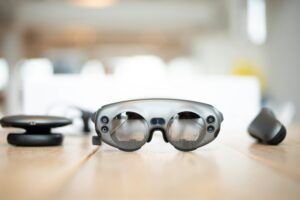
AR/VR game development services cover much more than “building a game.” For businesses, the work usually sits at the intersection of product strategy, 3D content production, real-time engineering, and rigorous testing on real hardware.
At AGR Technology, we typically treat immersive projects like software products, because that’s what they become once they’re deployed in the field.
AR Vs. VR Vs. MR: Choosing The Right Immersive Approach
Choosing the right modality is the first major fork in the road, and it affects everything: user experience, hardware requirements, environment constraints, and cost.
- AR (Augmented Reality): Digital elements layered onto the real world (often via mobile devices or AR glasses). AR tends to work well for product visualization, guided workflows, and interactive marketing.
- VR (Virtual Reality): A fully simulated environment, typically in a headset. VR is ideal when you need high focus, repeatable simulations, and controlled training environments.
- MR (Mixed Reality): A blend where digital objects anchor to the physical world with spatial understanding (common on devices like Meta Quest in passthrough/MR experiences, or enterprise devices such as HoloLens). MR is useful for hands-on training, collaborative visualization, and “digital twin”-style interactions.
If you’re unsure, we usually recommend starting with a short discovery: what environment users are in, what device access looks like, and what “success” is (time saved, error reduction, sales uplift, engagement rate, etc.).
Core Deliverables: Game Design, 3D Art, Engineering, QA, And Live Ops
A complete AR/VR build typically includes:
Product & experience design
- Core loop (what users do repeatedly)
- Progression, scoring, feedback, onboarding
- Comfort and safety considerations unique to XR
3D art and real-time content
- Models, environments, props, characters
- Materials/shaders, lighting, VFX, animation
- Optimization for target devices (polycount, draw calls, texture budgets)
Engineering & integration
- Interaction systems (hands/controllers/gaze)
- Performance optimization and profiling
- Integrations: SSO, LMS, CRM, analytics, payments (where applicable)
Quality assurance (QA) and device testing
- Testing across headsets/phones and OS versions
- Comfort testing (motion, locomotion)
- Regression testing before release
Deployment and post-launch support (live ops)
- App store submissions (Meta, Apple, Google) or enterprise distribution (MDM)
- Monitoring, crash reporting, content updates
- Iteration based on analytics and real user feedback
If your project is tied to operations or safety, we also help document acceptance criteria, test plans, and rollout steps, because “it ran on our dev headset” isn’t a launch strategy.
Business Use Cases For AR/VR Games And Gamified Experiences
The strongest business results usually come from experiences that solve a real constraint: expensive training, hard-to-demo products, inconsistent customer touchpoints, or limited access to physical locations.
Below are the most common use cases we see for AR/VR games and gamified experiences.
Training And Safety Simulations
VR training shines when real-world practice is risky, costly, or logistically difficult.
Common scenarios include:
- Safety induction and hazard identification (spot hazards in a simulated environment)
- Equipment operation training (repeat procedures without tying up machinery)
- Soft skills simulations (customer service, conflict resolution, leadership)
The advantage isn’t just immersion, it’s repeatability and measurement. You can track completion, time-to-competency, decision paths, and failure points, then improve training content based on data.
Sales Enablement, Product Demos, And Virtual Showrooms
When your product is large, complex, customizable, or geographically hard to access, immersive demos can cut through the friction.
Examples:
- AR product visualization for sales teams on-site (show options, scale, finishes)
- VR walkthroughs of spaces, equipment layouts, or custom builds
- Interactive demos that explain what’s happening “inside” a product (great for technical buyers)
For B2B, a good immersive demo isn’t entertainment, it’s clarity. It helps buyers understand value faster, and it can shorten cycles when paired with a strong follow-up process (CRM notes, demo analytics, next-step workflows).
Customer Engagement, Events, And Location-Based Experiences
For brands and venues, immersive games can create memorable moments people actually talk about.
This can look like:
- Event activations with short VR experiences (high throughput, low learning curve)
- Location-based AR scavenger hunts, interactive tours, or gamified discovery
- Permanent installations in museums, retail, or public spaces
The key here is operational realism: throughput, staff training, hardware management, sanitation, safety boundaries, and content that still works when Wi-Fi is spotty. We build with those constraints in mind from day one.
The AR/VR Game Development Process From Idea To Launch
Immersive projects go smoother when we treat “fun” and “feasible” as things we prove early, before full production.
Here’s the process we typically follow for AR/VR game development services.
Discovery And Requirements: Audience, Hardware, Budget, And Success Metrics
We start by tightening the brief until it’s buildable:
- Audience & context: Who uses this? For how long? In what environment (warehouse floor, showroom, home, classroom)?
- Hardware reality: Do users already have devices? Is this BYOD mobile AR? Company-owned headsets? Public event setup?
- Budget and timeline constraints: What’s fixed and what can move?
- Success metrics: Training time reduction, fewer incidents, higher conversion, dwell time, NPS, lead capture, whatever matters.
This phase often includes quick technical checks (device performance targets, tracking needs, offline mode requirements, privacy/security constraints).
Prototyping And Vertical Slice: Proving Fun And Feasibility Early
A prototype is where we learn what the slide deck can’t tell us.
We usually build either:
- A prototype to validate a key mechanic (hand tracking, physics interaction, spatial anchors, multiplayer sync), or
- A vertical slice that represents the “real thing” in a small, polished chunk (visual style, UX, performance, and one complete loop).
This is also where we get stakeholder alignment fast. When decision-makers can try it on a headset or phone, scope discussions get a lot more grounded.
Production, Testing, Deployment, And Post-Launch Iteration
Once the direction is locked:
- Production: We build features, create content, and hit performance budgets consistently.
- Testing: We test on target devices (not just emulators), including comfort checks and edge cases.
- Deployment: Depending on the use case, we publish to app stores, distribute via enterprise tools (MDM), or ship as a kiosk-style installation.
- Iteration: We use analytics and feedback to prioritize improvements, new levels, refined onboarding, better guidance, or performance tuning.
If the experience is part of a broader digital transformation initiative, we can also align immersive builds with your web, CRM, or automation workflows, AGR Technology is set up as a one-stop partner across marketing, software, and AI automation, so the experience doesn’t live in a silo.
Technology Stack And Platform Decisions That Shape Cost And Performance
In AR/VR, technology decisions are not “just technical.” They shape your content pipeline, device compatibility, performance ceiling, and ongoing maintenance costs.
Engines And Tooling: Unity, Unreal, WebXR, And Native SDKs
Most commercial immersive games are built with:
- Unity: Widely used for mobile AR and VR: strong ecosystem: efficient workflows for many business apps.
- Unreal Engine: Excellent visual fidelity: great for high-end VR and cinematic experiences: heavier pipeline in some cases.
- WebXR: Runs in compatible browsers: reduces install friction for certain use cases, but can be constrained by device/browser support and performance needs.
- Native SDKs (ARKit/ARCore, platform SDKs): Useful when you need deep platform features or lightweight experiences, though it can increase fragmentation.
We select tooling based on the experience goals and distribution model, not personal preference.
Target Devices: Mobile AR, Standalone Headsets, PC VR, And Consoles
Device choice determines interaction methods, comfort constraints, and deployment complexity.
- Mobile AR (iOS/Android): Lowest barrier to entry: good for marketing and sales: depends on camera tracking and environment conditions.
- Standalone VR/MR headsets (e.g., Meta Quest): Great balance of accessibility and immersion: ideal for training and demos: requires headset management.
- PC VR: Highest performance and fidelity: higher setup cost: often used for premium training or visualization.
- Consoles: Less common for business use cases, but relevant for certain consumer-facing experiences.
We’ll help you pressure-test the practical questions: Who owns devices? How are they updated? Where are they stored? What happens when a headset breaks during an event?
Backend And Integrations: Accounts, Analytics, Payments, And Enterprise Systems
Many immersive experiences need “boring” systems to deliver real business value:
- User accounts & access control: SSO/SAML/OAuth, role-based permissions
- Analytics: funnels, session length, task completion, heatmaps (where appropriate)
- Payments & commerce: for consumer apps or ticketed experiences
- Enterprise integrations: LMS for training records, CRM for lead capture, ERP for product data
We treat data privacy and security seriously. If your organization has compliance requirements, we can design around them early, rather than bolting on controls at the end.
Key Features And Design Considerations For Immersive Games
The best AR/VR experiences feel intuitive. The worst ones feel like you’re fighting the controls while wearing a toaster on your face.
Design in XR is different. Your UI is spatial, your users may be standing, and fatigue is real.
Interaction Models: Hand Tracking, Controllers, Gaze, And Spatial UI
Interaction should match the setting and the user.
- Hand tracking: Great for natural interactions, but can vary by device and lighting: best when you design forgiving gestures.
- Controllers: Reliable, precise: good for complex mechanics and consistent input.
- Gaze + dwell: Useful for accessibility and simple selections: needs careful UX to avoid accidental input.
- Spatial UI: UI placed in the world (panels, tooltips, anchored labels) should respect comfort zones and readability.
We typically prototype interaction early because it’s the fastest way to learn what feels “obvious” versus what needs training.
Comfort And Accessibility: Motion Sickness, Safety Boundaries, And Inclusive Design
Comfort is not a nice-to-have, it’s retention.
We design for:
- Locomotion comfort: teleport, snap turning, or guided movement where appropriate
- Frame rate stability: performance drops can increase discomfort: optimization is part of design
- Safety boundaries: guardian systems, play area prompts, and clear physical-space expectations
- Accessibility: seated/standing modes, readable text, color contrast, one-handed options when possible
If the experience is for training or public use, we also consider real-world supervision: staff instructions, signage, and fail-safe flows.
Multiplayer, Persistence, And Moderation For Shared Worlds
Shared experiences can be powerful, collaborative training, co-op demos, multi-user events, but they add complexity.
Key decisions include:
- Multiplayer model: real-time co-op vs. asynchronous sharing
- Persistence: what data must remain (progress, inventory, user-generated content)
- Voice/text chat: moderation needs, recording policies, and safety controls
- Scalability and reliability: load testing and monitoring, especially for events
We’ll be candid here: multiplayer is often where budgets inflate. It can absolutely be worth it, but it needs clear value tied to outcomes, not just “because it’d be cool.”
How To Choose The Right AR/VR Game Development Partner
A good partner doesn’t just “build what you ask for.” They help you avoid expensive mistakes, like choosing the wrong device strategy, overbuilding content, or shipping an experience that’s uncomfortable to use.
Here’s what we recommend evaluating.
Portfolio Fit: Similar Platforms, Genres, And Technical Complexity
Look for proof they’ve shipped on:
- Your target platforms (mobile AR, Quest, PC VR, WebXR)
- Similar complexity (hand tracking, physics, multiplayer, enterprise integrations)
- Comparable user context (public events vs. controlled training rooms)
Ask to see not just trailers, but real in-headset footage, performance targets, and examples of UX flows.
Team Composition: Producers, Technical Artists, Engineers, And QA
AR/VR projects need a balanced team:
- Producer / PM: keeps scope, schedule, and stakeholders aligned
- Design + UX: especially for onboarding and spatial UI
- 3D artists + technical artists: to create assets that also run well on device
- Engineers: gameplay, networking, platform integration
- QA: device testing, regression, comfort checks
If a vendor can’t explain who owns performance optimization or how QA is run across devices, that’s a red flag.
Communication, IP Ownership, Security, And Delivery Model
Before you sign, clarify:
- Communication cadence: weekly demos, sprint reviews, shared backlog
- IP ownership: who owns source code, assets, and build pipelines
- Security: access controls, repo management, device handling, NDA requirements
- Delivery model: fixed-scope vs. agile time-and-materials, and how change requests work
At AGR Technology, we keep delivery transparent: clear milestones, working builds you can test, and documentation so you’re not dependent on us forever (unless you want ongoing support). If you’re planning an immersive build, talk to us early, we’ll tell you what’s realistic and what’s not.
Conclusion
AR/VR can absolutely drive business outcomes, but only when it’s built around the right device strategy, a clear user context, and measurable goals. The companies that win with immersive don’t start with “let’s build something in VR.” They start with the problem: training time, sales friction, engagement, or operational inconsistency, and then choose the simplest immersive approach that solves it.
Next step: Reach out to AGR Technology through AGR Technology and tell us what you’re trying to achieve (use case, audience, and any target devices). We’ll come back with practical recommendations and a build plan you can actually take to your stakeholders.
Frequently Asked Questions (AR/VR Game Development Services)
What do AR/VR game development services include for businesses?
AR/VR game development services usually cover more than gameplay. Typical deliverables include product and experience design, 3D art and real-time content, engineering and integrations (SSO, LMS, CRM, analytics, payments), QA with real device testing, and deployment plus post-launch updates (live ops) based on user feedback and metrics.
How do I choose between AR vs. VR vs. MR for an AR/VR game development project?
Choose based on user context, device access, and what success means. AR overlays digital content onto the real world (great for product visualization and guided workflows). VR is fully immersive for focused, repeatable training. MR anchors digital objects in physical space for hands-on training and collaborative “digital twin” use cases.
What is the typical AR/VR game development process from idea to launch?
Most AR/VR game development services follow a phased approach: discovery and requirements (audience, environment, hardware, budget, ROI metrics), then a prototype or vertical slice to prove a key mechanic and performance. After that comes production, device-based testing (including comfort), deployment (stores or enterprise), and post-launch iteration using analytics.
How much do AR/VR game development services cost, and what drives the budget most?
Cost depends on scope, content, and technical complexity. The biggest drivers are 3D content volume, interaction complexity (hand tracking, physics, spatial UI), device fragmentation and testing, performance targets, and multiplayer or backend needs (accounts, syncing, analytics, moderation). Compliance and security requirements can also increase effort significantly.
How long does it take to build an AR/VR game or immersive training experience?
Timelines vary by ambition and platform, but common ranges are: prototype in about 2–6 weeks, MVP in about 8–16 weeks (core loop with minimal content), and a full release in roughly 4–9+ months with expanded content, polish, scalability work, and robust QA across target devices and OS versions.
What is the best engine for AR/VR game development services: Unity, Unreal, or WebXR?
It depends on goals and distribution. Unity is widely used for mobile AR and many business VR apps with efficient workflows. Unreal is strong for high-end visual fidelity and cinematic VR. WebXR can reduce install friction in browsers but may be constrained by device/browser support and performance needs for complex scenes.
Other solutions: