

Excel remains one of the most useful business tools available. It is flexible, familiar and can handle everything from simple calculations to complex reporting.
The problem usually isn’t Excel itself.
The problem starts when a business begins relying on spreadsheets to connect systems, consolidate data, produce recurring reports and manage processes that have become too complex for a spreadsheet to handle efficiently.
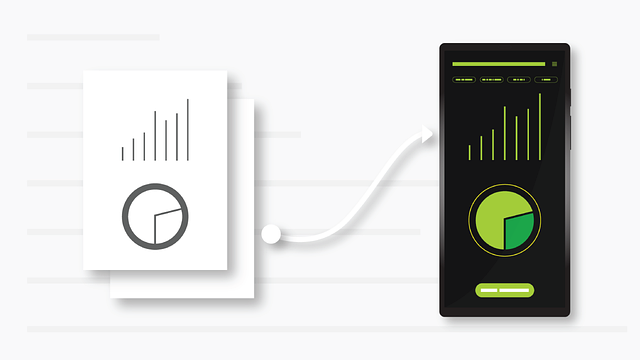
If your team is spending hours copying information between systems, maintaining multiple versions of the same report or manually preparing management dashboards, it may be a sign that your business has outgrown its current approach to data.
A custom business dashboard can be one solution. In some cases, however, the underlying requirement may be broader, involving software integration, API development, automation or custom business software.
Get in contact with us to discuss your project
Reviews from our happy clients:
Proudly supporting clients of all sizes to succeed through digital solutions











Why work with us?




Signs Your Business May Have Outgrown Excel
There is no specific point where every business should stop using spreadsheets. For some organisations, Excel remains the right tool.
However, there are several warning signs that your reporting and data processes may need a more structured solution.
Your team is manually combining data
If employees regularly export information from several platforms and combine it in Excel before producing a report, there may be an opportunity to automate the process.
For example, a business might have:
- Customer information in a CRM
- Revenue data in accounting software
- Leads coming through a website
- Advertising data in Google Ads or Meta
- Operational information in another platform
- Additional information stored in spreadsheets
Individually, these systems may work perfectly well.
The challenge is getting useful information from all of them into one consistent view.
Reports take too long to prepare
A report that takes five minutes to produce may not be a problem.
A report that requires someone to spend several hours every week exporting data, checking formulas, updating spreadsheets and formatting information is a different story.
The more frequently reporting is required, the more valuable automation can become.
Multiple versions of the same information exist
Another common problem is having several spreadsheets containing similar or overlapping information.
Different departments may maintain their own versions of sales figures, customer information or operational data. Over time, discrepancies can appear.
This creates a data quality problem as much as a reporting problem.
A centralized dashboard or integrated reporting system can provide a more consistent source of information.
Important business data is spread across different systems
Your business may already have all the data it needs.
It may simply be difficult to access it in one place.
This is particularly common as businesses grow and adopt more specialized software.
The result can be a collection of useful systems that don’t communicate effectively with each other.
That’s where software integration can become just as important as the dashboard itself.
What Is a Custom Business Dashboard?
A custom business dashboard is a reporting interface designed around the information and workflows of a particular organization.
Rather than manually assembling information every time a report is required, data can be collected from relevant sources and presented through a central interface.
Depending on the requirements, a dashboard might display:
- Sales and revenue
- Leads and conversions
- Customer activity
- Marketing performance
- Advertising results
- Operational metrics
- Inventory information
- Project performance
- Financial information
- Key performance indicators (KPIs)
The important part is not the visual design.
The value comes from connecting the right data sources and presenting information in a way that helps people understand what is happening in the business.
What Can a Custom Dashboard Connect To?
A dashboard doesn’t necessarily require a business to replace its existing software.
In many cases, the better approach is to connect the systems the business already uses.
Depending on the technology involved, this can include:
- CRM platforms
- Accounting software
- E-commerce platforms
- Websites
- Databases
- Marketing platforms
- Advertising platforms
- Internal business applications
- Spreadsheets
- Third-party software
- APIs and web services
This can allow information to move between systems automatically rather than relying on staff to repeatedly export and re-enter information.
For example:
CRM + Website + Advertising + Accounting → Integration Layer → Central Data → Business Dashboard
The exact architecture will depend on the business, its existing software and the type of information that needs to be collected.
A Dashboard Isn’t Always the Answer
This is an important distinction.
If a business is struggling with spreadsheets, building a dashboard isn’t automatically the right solution.
The underlying problem might be:
- Poorly connected software
- Manual data entry
- Inefficient workflows
- Outdated internal systems
- Lack of API integration
- Duplicate data
- Inconsistent processes
- Software that no longer fits the way the business operates
In these situations, simply putting the existing information into a nicer interface may not solve the underlying problem.
A proper technical assessment can help determine whether the business needs a dashboard, an integration, automation, custom software or a combination of these.
Custom Dashboard vs Business Intelligence Platforms
There are many established business intelligence and reporting platforms available, and they can be an excellent fit for many organizations.
Tools such as Power BI and other analytics platforms can provide powerful data visualization and reporting capabilities.
A custom-developed dashboard may become relevant when a business needs functionality that goes beyond standard reporting.
For example, a business may need:
- Specific integrations
- Custom business logic
- Bespoke calculations
- Unique workflows
- Custom user permissions
- Data from several unrelated systems
- A tailored user interface
- Automated actions based on business data
- A dashboard integrated directly into a wider business application
The objective should not be to build something custom simply because it is possible.
The objective should be to determine which approach makes the most practical sense for the business.
From Reporting to Automation
One of the biggest opportunities comes when reporting and automation are considered together.
Imagine a business where information currently follows this process:
System A → Export CSV → Open Excel → Copy Data → Check Formulas → Update Report → Email Management
A more integrated solution could potentially transform that into:
System A + System B + System C → Automated Data Integration → Centralized Data → Dashboard → Automated Reporting
The result isn’t simply a better-looking report.
It can reduce repetitive work and create a more reliable process for accessing business information.
Depending on the requirements, automation could also trigger actions based on the information being collected.
This is where dashboard development can become part of a broader custom software development project.
What Should a Business Dashboard Include?
There is no universal list of metrics that every business should track.
A useful dashboard should be designed around the decisions the business needs to make.
Before developing a dashboard, consider questions such as:
What decisions should the dashboard support?
If a metric doesn’t help someone understand performance or make a decision, it may not belong on the dashboard.
Where does the data currently live?
Identify every relevant source, including spreadsheets, CRM systems, accounting platforms, websites and internal applications.
How frequently does the information need to be updated?
Some businesses need information refreshed continuously. Others may only need daily, weekly or monthly reporting.
Who needs access?
Different employees, managers and departments may require different information or permissions.
What is currently being done manually?
This can identify opportunities for automation beyond the dashboard itself.
What needs to happen after the information is collected?
This question is particularly important.
If the business needs to take action based on the data, the project may benefit from integrating workflows or custom software rather than stopping at reporting.
When Should You Consider a Custom Dashboard?
A custom dashboard may be worth investigating when:
- Your business relies on several disconnected systems
- Reporting requires significant manual work
- Your spreadsheets have become increasingly complex
- Management needs information from multiple sources
- Employees regularly duplicate data between platforms
- You need a central view of business performance
- Existing reporting tools don’t fit your requirements
- You want to automate recurring reporting
- Your business has specific data or workflow requirements
- Your existing software no longer supports the way your business operates
It doesn’t necessarily mean that Excel needs to disappear.
In many businesses, spreadsheets will continue to have a role.
The question is whether they should remain responsible for processes that have become too important or complex to manage manually.
Solving the Underlying Technology Problem
The most effective software projects usually start with the business problem rather than a predetermined technology.
A business might approach a development partner asking for a dashboard, but after reviewing the existing systems, the real requirement could be an API integration, automated workflow, database, internal application or custom software solution.
That is why understanding the existing technology environment is important before deciding what to build.
At AGR Technology, we work with businesses to identify these technical gaps and develop practical solutions around their existing systems.
This can include custom business dashboards, software development, API integrations, data integration, automation and bespoke business applications.
The goal is not to replace technology unnecessarily.
It is to help businesses connect the systems they already rely on, improve how information moves through the organisation and build new functionality where existing software no longer meets the requirement.
Looking Beyond Excel
Excel isn’t going away, nor does it need to.
For many businesses, it remains a valuable tool.
But when spreadsheets become the glue holding together multiple business systems, it may be time to look at the bigger picture.
A custom dashboard can provide a centralized view of important business information. Integration and automation can reduce manual processes. And where existing applications have reached their limits, custom software can provide a more tailored solution.
The right answer depends on the business, its systems and what it is trying to achieve.
Need Help Connecting Your Business Systems?
If your business is dealing with disconnected software, manual reporting, spreadsheets that have become difficult to manage or data that is spread across multiple platforms, AGR Technology can help assess the underlying technical requirements.
We develop custom software, business dashboards, system integrations, APIs and automation solutions designed around the way businesses actually operate.
Rather than forcing your processes into another off-the-shelf platform, we can help identify where existing systems can be integrated, where processes can be automated and where custom development may make sense.
Talk to AGR Technology about your software, integration or dashboard requirements.
Related content
When Should You Build Custom Software? A Practical Guide for Growing Businesses
Why Businesses End Up Using Spreadsheets Alongside Expensive Software
Custom Software Vs SaaS Vs Off-The-Shelf Software
What Happens When Your Software Doesn’t Integrate With Your Other Systems?
Custom Data Dashboards for Analytics
Business Intelligence Dashboard Services
Performance Dashboards & KPI Tracking Services

Alessio Rigoli is the founder of AGR Technology and got his start working in the IT space originally in Education and then in the private sector helping businesses in various industries. Alessio maintains the blog and is interested in a number of different topics emerging and current such as Digital marketing, Software development, Cryptocurrency/Blockchain, Cyber security, Linux and more.
Alessio Rigoli, AGR Technology